Using dual and triple monitor arms helps you organize your trading setup by freeing up desk space and reducing clutter. They allow you to customize monitor height, tilt, and angles for ideal eye-level viewing, which eases neck and eye strain. These arms securely support heavy screens, so your workspace stays stable and tidy. Plus, built-in cable management keeps wires neatly out of sight. With better organization and ergonomic comfort, your trading environment becomes more efficient—discover how to maximize its benefits as you continue.
Open a free Amazon Business account
Business pricing, bulk buying and tax-exempt orders.
As an affiliate, we earn on qualifying purchases.
Key Takeaways
- They free up desk space by consolidating multiple monitors onto a single mount, reducing clutter.
- Cable management features keep wires organized and hidden, preventing tangling and visual distraction.
- Adjustable arms enable easy repositioning for optimal viewing angles, enhancing focus and reducing strain.
- Supports a clean, minimalist look, improving overall workspace aesthetics and professionalism.
- Stabilize heavy monitors securely, ensuring safety and preventing accidental falls or damage.
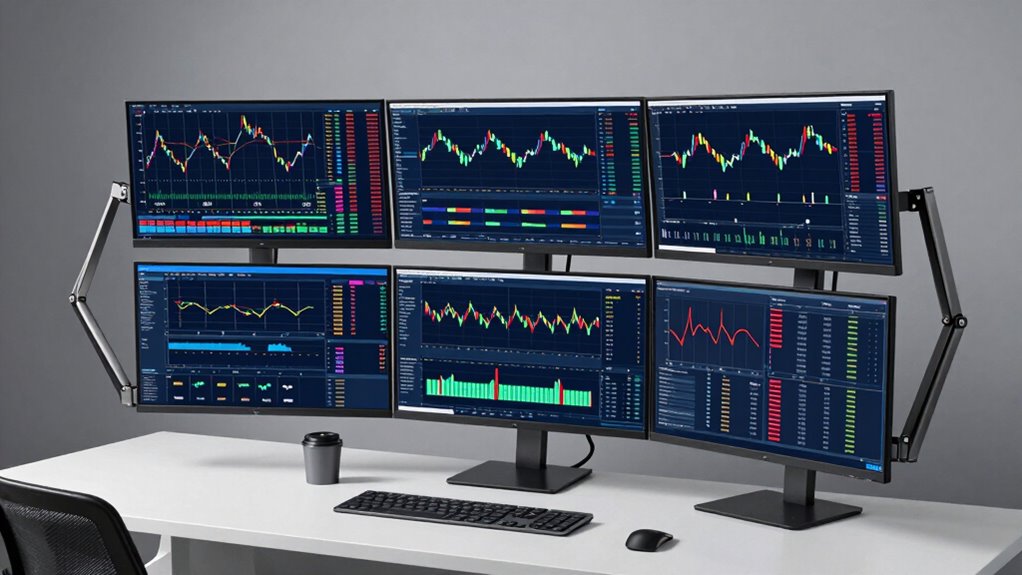
Setting up multiple monitors for trading can considerably boost your productivity and streamline your workflow. Dual and triple monitor arms make this possible by providing flexible, organized solutions that keep your workspace clean and efficient. One of the key advantages of these arms is their ergonomic benefits. By adjusting monitor height, tilt, and angle, you can position screens at eye level, reducing neck and eye strain during long trading sessions. This customization helps you maintain better posture, which is essential for comfort and focus over extended periods. Additionally, these arms free up desk space, giving you more room to work comfortably and reducing clutter. Incorporating ergonomic adjustment features further enhances comfort during long hours.
Cable management is another significant benefit when you use dual and triple monitor arms. Without proper organization, cables tend to become tangled and cluttered, creating a chaotic environment that hampers productivity. Many monitor arms come with built-in cable management systems, such as clips or channels, that route cables neatly along the arm or mount. This keeps wires out of sight and prevents them from snagging or getting in your way while you work. Clean cable management also makes it easier to identify and troubleshoot connection issues quickly, saving you time and frustration. As a result, your workspace remains tidy, and you can focus entirely on trading rather than wrestling with tangled cords. Proper cable organization is essential for maintaining an efficient trading environment. Additionally, using adjustable mounting options allows for even more precise customization to suit your preferences. Furthermore, well-designed monitor arms can support heavy monitors, ensuring stability and safety during use. Incorporating professional-grade monitor arms can also enhance durability and reliability over time.
Beyond cable management and ergonomic benefits, these monitor arms improve your overall setup by enabling effortless repositioning. Need to shift a screen for a better view or to accommodate a new trading tool? Just adjust the arm, and you’re done. This flexibility encourages better multitasking, allowing you to monitor multiple data streams, charts, and news feeds simultaneously without having to rearrange your entire workspace. The arms also keep your monitors stable and secure, reducing the risk of accidental knocks or falls, which could damage equipment.
Furthermore, using monitor arms helps you maintain a professional and minimalist look. By consolidating multiple screens onto a single mount, your desk appears more organized, which can boost your focus and reduce distractions. This streamlined setup not only enhances efficiency but also creates a visually appealing trading environment that minimizes clutter and maximizes space. With the right dual or triple monitor arms, you can optimize your trading setup for comfort, organization, and productivity—making every trading day smoother and less stressful.
dual monitor arm with cable management
As an affiliate, we earn on qualifying purchases.
As an affiliate, we earn on qualifying purchases.
Frequently Asked Questions
Are Dual or Triple Monitor Arms Compatible With All Monitor Sizes?
Dual and triple monitor arms aren’t compatible with all monitor sizes, but they often feature adjustable mounting options to fit various screens. You should check the monitor’s VESA compatibility and weight limits to guarantee proper support. Most arms accommodate standard sizes, but larger or unusually shaped monitors might need specialized mounts. Always verify monitor compatibility before purchasing to ensure your setup remains stable and clutter-free.
How Do Monitor Arms Improve Trading Productivity?
Monitor arms improve your trading productivity by offering ergonomic benefits and better workspace organization. They allow you to position monitors at the perfect height and angle, reducing strain and fatigue during long trading sessions. With adjustable arms, you can easily switch between screens, view multiple data streams simultaneously, and keep your workspace tidy. This setup helps you stay focused, make quicker decisions, and enhances overall efficiency in your trading activities.
Can Monitor Arms Support Curved or Ultrawide Monitors?
Yes, monitor arms can support curved or ultrawide monitors, providing ergonomic adjustments that help you find a comfortable viewing angle. They guarantee your monitors stay steady and aligned, reducing neck strain. Plus, they enhance your setup’s aesthetic appeal by eliminating clutter and keeping cables organized. With the right monitor arm, you can easily customize your workspace for maximum productivity, whether you’re using curved or ultrawide displays.
What Are the Installation Requirements for Heavy Monitors?
Imagine your heavy monitors securely floating in your workspace, held by sturdy mounting brackets. To install them safely, verify your monitor arms have a weight capacity that matches or exceeds your monitors’ weight. Check the mounting brackets’ specifications to confirm they can support your monitors’ size and weight. Proper installation not only keeps your setup clean but also guarantees stability, so your screens stay firm during intense trading sessions.
Do Monitor Arms Help Reduce Eye Strain During Long Trading Sessions?
Yes, monitor arms can substantially reduce eye strain during long trading sessions. By allowing you to adjust your screens for ideal eye comfort, they help minimize visual fatigue. You can easily position monitors at the right height and angle, reducing glare and awkward viewing angles. This flexibility guarantees your eyes stay comfortable, helping you stay focused and alert throughout extended trading hours.
triple monitor mount for heavy screens
As an affiliate, we earn on qualifying purchases.
As an affiliate, we earn on qualifying purchases.
Conclusion
Imagine a trader who struggles with cluttered screens and constant repositioning. By switching to dual or triple monitor arms, they instantly create a clean, organized workspace that boosts focus and efficiency. With everything within arm’s reach, they can analyze data faster and make smarter decisions. Upgrading your setup with these arms isn’t just about aesthetics — it’s about transforming your trading experience into a smoother, more productive process. Give it a try, and watch your trading game improve.
ergonomic monitor arm for trading setup
As an affiliate, we earn on qualifying purchases.
As an affiliate, we earn on qualifying purchases.
adjustable monitor arm for multiple screens
As an affiliate, we earn on qualifying purchases.
As an affiliate, we earn on qualifying purchases.
Flea & tick season Picks
flea and tick prevention
As an affiliate, we earn on qualifying purchases.