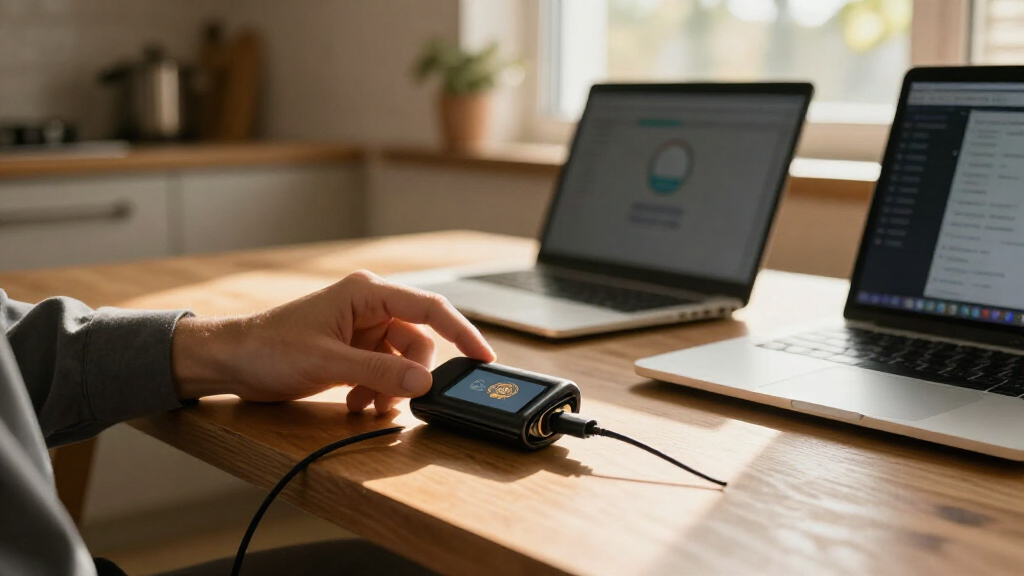

Set up a cryptocurrency hardware wallet, protect its recovery phrase, and verify that you can receive and send a small transaction. This guide is for beginners who want to keep control of their crypto keys with a dedicated signing device. Allow 45-90 minutes, plus time for any network transaction to confirm.

Get hardware and tech essentials delivered free with Prime
- Fast, free delivery on millions of items
- Prime Video, Amazon Music and more included
- Member-only deals all year

Ledger Nano X Bluetooth Crypto Hardware Wallet
- ✔ Connectivity: Bluetooth, NFC, USB
- ✔ Display: 1.1-inch OLED
- ✔ Asset support: Over 15,000 coins and tokens, per product description

Tangem Crypto Wallet, 2-Card Pack
- ✔ Pack: 2 cards
- ✔ Security chip: EAL6+
- ✔ Connection: NFC

Trezor Safe 3 Crypto Hardware Wallet, Cosmic Black
- ✔ Model: TS3
- ✔ Secure element: EAL 6+
- ✔ Display: OLED
Difficulty: Beginner | Time: 45-90 minutes
What You’ll Need
Tools & Materials:
- A hardware wallet from its official manufacturer or an authorized seller
- A computer or phone compatible with the wallet
- The manufacturer’s official app, downloaded from its website or official app store
- Pen and paper or the wallet maker’s recovery backup cards
- A small amount of cryptocurrency for a test transfer, including network fees
Knowledge:
- Basic use of a computer or smartphone
- The cryptocurrency and network you plan to use
Choose a wallet that supports the cryptocurrency and network you need. Never enter a recovery phrase into a website, chat, email, or unverified app. Anyone with that phrase can take the funds it protects.
Ledger Nano X Bluetooth Crypto Hardware Wallet
The Ledger Nano X is our most flexible pick for people who want a hardware wallet they can use with a phone as well as a desktop. Bluetooth connectivity supports use with iOS and Android, and Ledger Live brings buying, selling, swapping, and staking into one app. That makes it a more connected management experience than the USB-C-only Trezor Safe 3 or Tangem’s NFC card tap, though users should consider whether Bluetooth suits their preferred security routine.Its stated support for over 15,000 coins and tokens makes it appealing for portfolios spread across multiple networks. The 1.1-inch OLED display and authenticity check add useful setup and confirmation cues. The limits are practical: internal memory is listed at 2.05 MB, Chromebook compatibility is excluded, and a protective case is not included. Unlike Tangem, its workflow involves a rechargeable device; unlike Trezor, the supplied description does not specify a passphrase option or backup method. This is the best-rounded choice here for mobile convenience, provided our target assets and devices are compatible.
Pros:
- Bluetooth supports iOS and Android use alongside desktop connectivity.
- Ledger Live includes buying, selling, swapping, and staking features.
- Lists support for over 15,000 coins and tokens.
- Genuine check feature helps verify device authenticity during setup.
Cons:
- Not compatible with Chromebooks.
- Protective case or pod must be purchased separately to guard against wear.
- Listed internal memory is limited to 2.05 MB.
Best for: Crypto holders who want mobile and desktop access, in-app portfolio tools, and broad stated asset support.
Not ideal for: Chromebook users, people who prefer a cable-free card with no battery, or buyers seeking a clearly specified on-device passphrase and recovery setup.
Bottom line: We recommend the Ledger Nano X as the most versatile pick for mobile-first management, as long as its connected workflow and device compatibility fit our needs.
“We recommend the Ledger Nano X as the most versatile pick for mobile-first management, as long as its connected workflow and device compatibility fit our needs.”
Tangem Crypto Wallet, 2-Card Pack
Tangem’s two-card pack is the most stripped-down option in this lineup: access the wallet by tapping a card to a phone with NFC, without charging a battery or connecting a cable. Its private keys are generated and stored in an EAL6+ chip, while the additional card gives users a backup route without handling a seed phrase. Compared with the Ledger Nano X, Tangem gives up an integrated dashboard and Bluetooth convenience; compared with the Trezor Safe 3, it removes the dedicated screen and USB-C connection.This design fits buyers who want a compact physical wallet and are comfortable treating the cards as the center of their recovery plan. The product lists access across 90 blockchains and support for DeFi, NFTs, and staking. Its IP69K waterproofing and shock resistance also make it more durable on paper than the Trezor Safe 3, which is not water resistant. The key drawback is that NFC phone access is required, so it is not a standalone device for desktop use. We also need to store the backup card securely and separately; seedless recovery simplifies one task but makes physical card custody especially important.
Pros:
- Private keys are generated and stored inside an EAL6+ chip.
- Second card provides a backup without a seed phrase.
- NFC access requires no cable, Bluetooth pairing, or battery.
- IP69K waterproofing and shock resistance support everyday durability.
Cons:
- Requires a phone with NFC to access the wallet.
- Backup cards need to be stored separately and securely.
- No dedicated display is listed for reviewing transaction details.
Best for: Phone users who want a small, battery-free wallet with a second card for recovery and no seed phrase to record.
Not ideal for: People without NFC phones, those who want a visible device screen for transaction confirmation, or buyers who prefer software-led recovery.
Bottom line: We’d choose Tangem for compact, battery-free access and card-based recovery, if NFC phone dependence and careful backup storage suit our habits.
“We’d choose Tangem for compact, battery-free access and card-based recovery, if NFC phone dependence and careful backup storage suit our habits.”
Trezor Safe 3 Crypto Hardware Wallet, Cosmic Black
For buyers who want a dedicated screen in the transaction workflow, the Trezor Safe 3 is the clearest fit. Its OLED display supports on-device confirmations, and the wallet combines an EAL 6+ secure element with PIN and passphrase protection. That makes its appeal different from Tangem’s phone-tapped card: we get a physical device for checking actions rather than relying on a screenless card. It also offers Multi-share Backup, a recovery approach that stands apart from Tangem’s backup-card method.Trezor supports thousands of coins and tokens and works with Trezor Suite for app-based asset management. USB-C provides a straightforward wired connection, but this means it lacks the Ledger Nano X’s Bluetooth convenience and Tangem’s cable-free access. The Safe 3 is light at 14.2 g, though its compact body is not water resistant. Buyers should also be comfortable setting up and using Suite; those who want phone-only NFC access may find Tangem simpler, while Ledger is the more feature-rich mobile pick. We see this as the strongest match for users who value a visible confirmation step and specified recovery features over maximum portability.
Pros:
- OLED screen enables on-device confirmations.
- EAL 6+ secure element with PIN and passphrase protection.
- Multi-share Backup supports wallet recovery.
- Supports thousands of coins and tokens through the Trezor ecosystem.
Cons:
- Not water resistant.
- App-based asset management requires setup and use with Trezor Suite.
- USB-C connection is less convenient for cable-free mobile access than Tangem.
Best for: Users who want a dedicated OLED screen, PIN and passphrase options, and Multi-share Backup in a USB-C cold-storage device.
Not ideal for: People seeking a waterproof wallet, a no-cable NFC format, or Bluetooth phone management.
Bottom line: We recommend Trezor Safe 3 when visible on-device confirmation and recovery controls matter more than wireless convenience or water resistance.
“We recommend Trezor Safe 3 when visible on-device confirmation and recovery controls matter more than wireless convenience or water resistance.”
As an Amazon Associate we earn from qualifying purchases.
Before You Start
Work somewhere private, with enough time to complete setup without rushing. A hardware wallet protects private keys by keeping them on the device, but it cannot make a compromised recovery phrase safe or reverse a mistaken transfer. Use the manufacturer’s official instructions for device-specific screens and verify software download addresses independently.
Step-by-Step Instructions
Step 1: Check the device and seller
Buy the wallet from the manufacturer or an authorized seller. Before connecting it, inspect the packaging and device for damage or signs of tampering. Follow the manufacturer’s instructions for checking authenticity; do not rely on a recovery phrase printed on a card or supplied by someone else.
Tip:If the device arrives with a prewritten recovery phrase or asks you to use one supplied by another person, stop and contact the manufacturer through its official support channel.
Check: The device passes the maker’s authenticity checks, and you can start setup from its welcome screen.
Step 2: Install the official wallet software
Open the manufacturer’s website by typing its address yourself or using a trusted bookmark. Download the companion app for your operating system, or use the manufacturer’s verified app-store listing. Check the app name and publisher before installing, then open it and follow the prompts to connect or pair the device.
Tip:Ignore sponsored search results, unsolicited setup links, and support messages asking you to share your recovery phrase.
Check: The official app recognizes the connected wallet and displays the device’s setup options.
Step 3: Create a new wallet and set a PIN
Choose the option to create a new wallet on the device itself. Set a PIN that is difficult for another person to guess but that you can remember. Enter it using the device’s own controls when available, and follow the on-screen directions to confirm it.
Tip:A PIN helps prevent someone holding the device from opening it. It does not replace the recovery phrase, which can restore access if the device is lost or damaged.
Check: The device accepts your PIN and opens the wallet setup or recovery phrase screen.
Step 4: Write down and verify the recovery phrase
When the device displays a new recovery phrase, copy every word in order onto the supplied backup card or paper. Keep the words private and out of view of cameras or other people. Complete the device’s word-order check when prompted, using the device controls.
Tip:Never photograph, email, cloud-store, or type the phrase into a computer or phone. Do not share it with anyone claiming to be support. Anyone who obtains it may be able to take the funds.
Check: The device confirms the phrase backup, and your handwritten copy is legible, complete, and in the correct order.
Step 5: Store the recovery phrase securely
Put the written phrase in a private, secure location that is protected from casual access, fire, and water as far as practical. Consider a second durable backup in a separate secure location if the value at risk warrants it. Keep the PIN and recovery phrase from being stored together, and do not tell others where they can find them.
Tip:Anyone who can access the phrase can restore the wallet elsewhere. Treat backup cards and copies with the same care as the funds themselves.
Check: You can locate the backup when needed, while other people cannot casually read or retrieve it.
Step 6: Enable the cryptocurrency account
Use the official app to add or enable the account for the cryptocurrency you plan to use. Confirm the asset and network shown in the app match your intended transfers. If the wallet supports multiple networks or token standards, check the manufacturer’s documentation before selecting one.
Tip:Similar asset names can exist on different networks. A sender and recipient must use compatible networks or funds may be difficult or impossible to recover.
Check: The app shows the intended account and network, and the hardware wallet can display or confirm account details.
Step 7: Verify a receiving address and make a small test deposit
In the official app, choose Receive and select the intended asset and network. Verify the address on the hardware wallet’s screen as well as in the app; trust the device display if they differ. Copy the verified address, compare its first and last characters, and send a small test amount from the source wallet or exchange. Wait for the network’s required confirmations before sending more.
Tip:Do not assume an address is correct just because it appears in an app. Malware can replace copied addresses. Check the address on the device every time you receive.
Check: The test deposit appears in the intended account after the network confirms it.
Step 8: Send a small test transaction
Choose Send in the official app and enter a small test amount and the destination address. Confirm the recipient address, asset, network, and fee. Review the transaction details on the hardware wallet’s screen and approve only if they match what you intended. Wait for confirmation before making a larger transfer.
Tip:Blockchain transfers are generally irreversible. Test first, and never approve a transaction whose destination, amount, or network does not match your request.
Check: The receiving wallet shows the test funds after confirmation, and the amount and fee match the device’s approval screen.
Common Mistakes to Avoid
- Saving the recovery phrase in a photo, notes app, email, or cloud drive. — Write it on paper or a suitable physical backup and store it securely offline. Never enter it into a website or share it with support.
- Sending an asset over the wrong network. — Confirm the asset and network at both ends before sending; use a small test transfer first.
- Approving a transaction without checking the hardware wallet screen. — Read the destination, amount, and fee on the device before approving each transfer.
Troubleshooting
Problem: The companion app does not detect the wallet.
Solution: Check the cable or wireless pairing, unlock the device, and install the official app version that supports your model. Consult the manufacturer’s setup guide for connection-specific steps.
Problem: The address in the app differs from the address on the device.
Solution: Do not use the address shown in the app. Cancel, disconnect if needed, and contact the manufacturer through its official support channel if the discrepancy persists.
Problem: A test deposit has not appeared.
Solution: Check the transaction status and confirmation count using the sender’s official transaction record or a trusted block explorer. Confirm the destination address and network, then allow for network delays before contacting the sender or wallet provider.
Problem: You forgot the PIN or the device is lost.
Solution: Use the manufacturer’s recovery process on a genuine replacement device and enter the recovery phrase only on the hardware wallet as directed. If the phrase may have been exposed, create a new wallet with a new phrase and move funds to it promptly.
What Success Looks Like
The wallet is initialized with a PIN, the recovery phrase is backed up privately and verified, and the official app shows the intended account and network. A small incoming transfer appears after confirmation, and a small outgoing test reaches its destination after you verify and approve the details on the device.
Next Steps
Keep the device firmware and companion app current using the manufacturer’s official instructions. Periodically check that your physical backup remains readable and secure, without typing the phrase into a connected device to test it. For larger balances, review the wallet maker’s backup and recovery guidance and consider additional security measures suited to your needs.
Frequently Asked Questions
Can the manufacturer recover my wallet if I lose the recovery phrase?
Usually not. The recovery phrase is the backup for your keys, and the manufacturer generally cannot recreate it. Keep the phrase secure and accessible to you.
Should I enter my recovery phrase into the companion app?
For a newly created wallet, no. The device generates the phrase and the app should not need it. Enter a phrase only on a genuine hardware wallet when following the maker’s documented recovery process.
Why should I send a test transaction first?
A small test helps confirm that the address, asset, and network are correct before you risk a larger amount. Account for any minimum transfer and network fee.
Can I use one hardware wallet with more than one cryptocurrency?
Many devices support multiple assets, but support varies by model, app, and network. Check the manufacturer’s compatibility list and verify the exact network before receiving or sending.
Black Friday Picks

Ledger Nano X Crypto Hardware Wallet – Bluetooth (Black + Billfodl)
As an affiliate, we earn on qualifying purchases.