
TL;DR

Get hardware and tech essentials delivered free with Prime
- Fast, free delivery on millions of items
- Prime Video, Amazon Music and more included
- Member-only deals all year
Building an AI workstation used to be cheaper, but recent shortages and price spikes have made prebuilt systems competitive or even cheaper. The choice now depends on your need for speed, customization, and control over the hardware and software environment.
Imagine this: you need a powerful AI workstation fast, but the idea of piecing it together feels overwhelming, or maybe just too time-consuming. The question isn’t just about cost anymore — it’s about speed, control, and risk. In 2026, the old rule that building your own always saves money is broken. Now, buying can sometimes be smarter, especially with the latest shortages and prices.
This guide cuts through the hype. We’ll compare building versus buying based on real costs, time to deploy, and how much control you want. Whether you’re a hobbyist, a startup, or a team at a big enterprise, understanding these tradeoffs helps you make smarter choices.
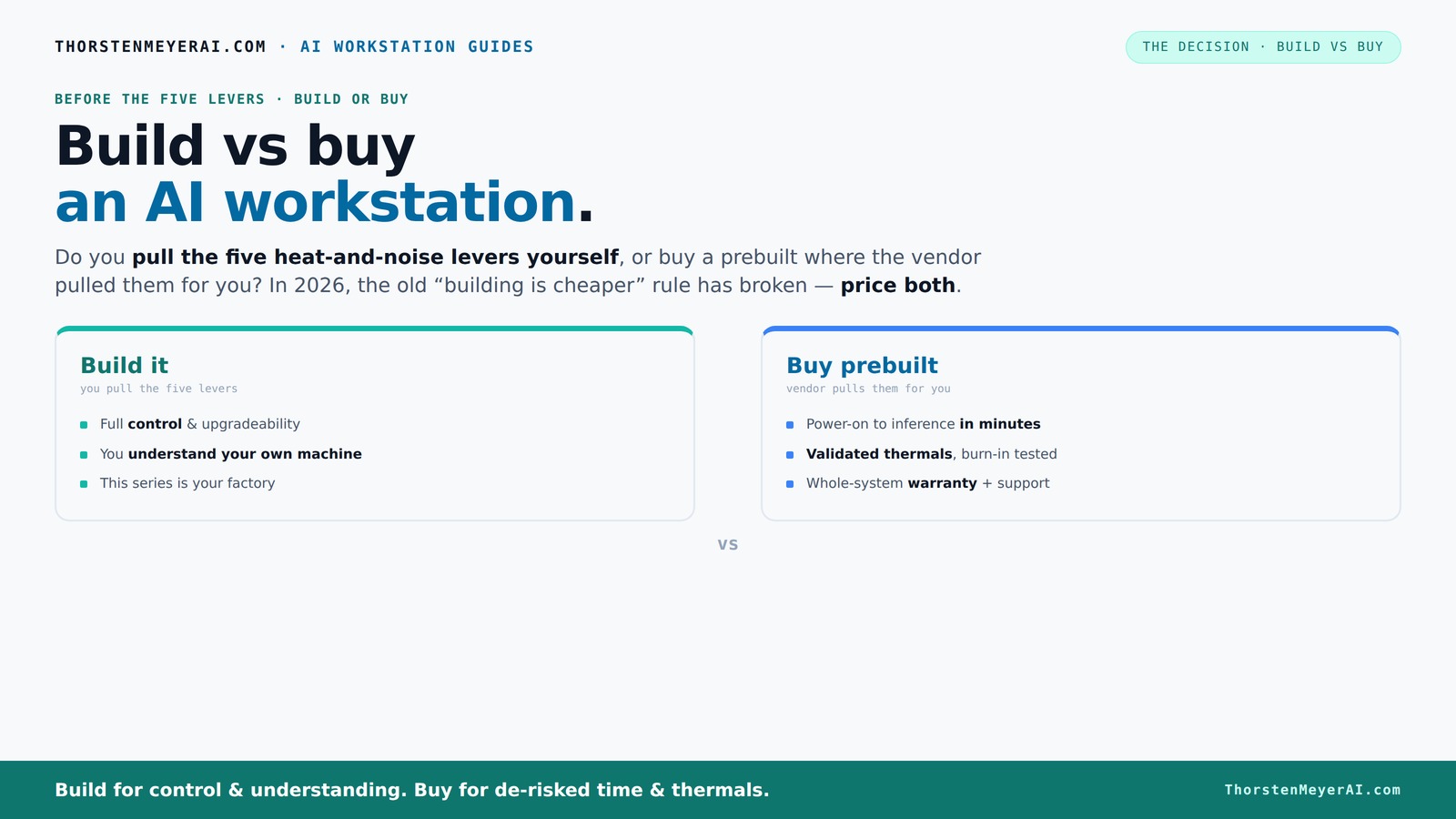
Build vs buy
an AI workstation.
The real question behind this whole series: do you pull the five heat-and-noise levers yourself, or buy a prebuilt where the vendor pulled them for you? And in 2026, the old “building is cheaper” rule has broken. Match your situation in Part 3.
Key Takeaways
- Component shortages in 2026 make prebuilt AI workstations often cost-competitive or cheaper than DIY builds.
- Buying offers faster deployment, validated thermals, and warranties — ideal for quick-start projects.
- Building your own allows full control over hardware, security, and customization but involves hidden ongoing costs.
- Prioritize GPU VRAM and cooling solutions for optimal AI performance, whether building or buying.
- A hybrid approach—buy the system and upgrade key components—can offer the best of both worlds.
As an affiliate, we earn on qualifying purchases.
Why the Build vs Buy debate shifted in 2026: The real story
For years, building your own AI workstation was a no-brainer — cheaper, more flexible, more control. That’s what everyone believed. But in 2026, the landscape changed.
Component shortages and skyrocketing prices hit the parts you’d buy for a DIY build: DDR5 RAM, high-end GPUs, fast SSDs. What used to cost <$1,000 now easily surpasses $1,250. Meanwhile, big vendors snapped up components early, locking in bulk prices. Their prebuilt systems now sometimes match or beat what you can assemble yourself.
This shift means you can’t assume DIY is cheaper anymore. It’s a new game — one where cost, speed, and control all matter. Your decision now depends on what matters most: quick deployment or tailored control.
As an affiliate, we earn on qualifying purchases.
The five levers of a high-power AI workstation — and who pulls them
Think of your AI machine as a furnace — it runs hot and loud without careful tuning. The five levers are: undervolting the GPU, selecting the right cooler, optimizing airflow, tuning fans, and proper placement. Learn more about undervolting GPUs.
When you buy a prebuilt, the vendor handles these levers. They validate thermals, run burn-in tests, and often include water-cooling for quieter operation. For example, BIZON advertises systems with '30% lower noise and temperature' thanks to factory tuning.
If you build yourself, you pull these levers. You select a quiet GPU, undervolt it ([see here](https://thorstenmeyerai.com/undervolt-gpu-local-inference/)), pick a silent cooler ([like this](https://thorstenmeyerai.com/quiet-cpu-coolers-ai-workstation/)), set up airflow ([see setup guide](https://thorstenmeyerai.com/quiet-case-fans-airflow-setup/)), and tune fans manually. This process allows for highly customized thermal management, which can significantly improve performance, reduce noise, and extend hardware lifespan. However, it requires a deep understanding of thermals, component compatibility, and careful testing. The tradeoff is that while you gain control and potentially better efficiency, you also take on the complexity and time investment of fine-tuning these systems, which can be a barrier for less experienced builders.
As an affiliate, we earn on qualifying purchases.
When buying a prebuilt makes sense — and when it doesn’t
Buying a prebuilt is perfect if you want to start fast. You power it on, and everything’s ready — OS, drivers, AI stack ([see here](https://thorstenmeyerai.com/reduce-heat-noise-ai-workstation/)). For instance, a data scientist at a startup with a tight deadline can deploy a multi-GPU rig in days, not months. This rapid deployment reduces delays and allows teams to focus on their core work rather than hardware setup and troubleshooting. See how prebuilt systems help speed up deployment.
It’s also ideal if you value validated thermals and warranty. Vendors burn-in the system, test under load, and stand behind their hardware. For example, payment processing and support strategies can help ensure system reliability.
However, prebuilt systems can be less flexible. If your workload requires custom configurations, security constraints, or unusual hardware, buying might limit you. For instance, specific security certifications or hardware compatibility issues may necessitate a custom build for compliance reasons. In those cases, building your own or hybrid approaches shine, giving you tailored control over every component and configuration, which can be essential for sensitive or specialized workloads.
As an affiliate, we earn on qualifying purchases.
When building your own workstation beats buying — and why
Building remains a strategic choice when your AI workload is central to your competitive advantage. It allows you to tailor every hardware and software detail to your specific needs, which can translate into better performance, security, and cost efficiency over the long run. For example, a financial institution with strict data sovereignty requirements might need to keep all hardware on-premises with custom security measures—something prebuilt solutions often can’t offer without significant modifications. Building your own system ensures you control the entire environment, reducing potential vulnerabilities and compliance issues. Explore private equity insights for enterprise IT investments.
Furthermore, if you are passionate about hardware or enjoy the process of optimizing systems, building is inherently rewarding. You can select components with specific security features, optimize cooling for noise reduction, and fine-tune settings for maximum efficiency. This level of control often results in a system that’s more aligned with your workload, potentially outperforming generic prebuilt options. Additionally, for organizations with in-house expertise, building can sometimes be more cost-effective in the long term, especially if initial shortages or price spikes are managed carefully. However, it’s crucial to weigh these benefits against the time investment and complexity involved, as recent market disruptions have increased the difficulty and cost of sourcing parts and tuning systems.
Cost comparison: Build vs Buy in 2026 — what’s really cheaper?
| Factor | Build | Buy |
|---|---|---|
| Upfront cost | Often higher due to component shortages and assembly time | Competitive or sometimes lower, thanks to bulk buying and economies of scale |
| Time to deployment | Months — sourcing, assembly, tuning | Days to weeks — plug-and-play |
| Long-term costs | Higher if you need frequent upgrades or custom configs, as ongoing maintenance and troubleshooting add costs | Lower support costs, warranty included, and less downtime |
The hidden costs you might not see at first
Building a system isn’t just about acquiring parts—it involves significant hidden costs that can impact your overall budget and project timelines. Labor expenses for sourcing components, troubleshooting hardware issues, and tuning for optimal thermal performance can quickly add up. For instance, undervolting a GPU ([see here](https://thorstenmeyerai.com/undervolt-gpu-local-inference/)) requires time, expertise, and testing to ensure stability. Mistakes can lead to hardware instability or voided warranties, which might cause costly failures later. These hidden costs are especially relevant if your team lacks dedicated hardware specialists or if you frequently upgrade hardware to stay current with AI advancements.
Support costs are another often-overlooked factor. DIY systems mean troubleshooting hardware failures, thermal issues, or compatibility problems falls on your internal team, leading to potential downtime and increased expenses. Conversely, prebuilt systems typically include comprehensive support and warranties, which can reduce unexpected costs and minimize operational disruptions. Over time, these support and maintenance expenses can outweigh initial savings, especially for organizations that cannot afford prolonged downtime or lack technical resources to handle complex hardware issues.
What specs matter most for AI workloads today
Focus on the GPU — it’s the heart of your AI rig. Aim for at least an NVIDIA A100 or H100 if you want serious training or inference power. VRAM matters — 40GB+ is ideal for large models. CPU is less critical but should match your GPU’s bandwidth needs. A balanced system ensures no bottlenecks, which is essential for maximizing throughput and minimizing training time.
Memory (RAM) should be fast and plentiful — 128GB+ if you plan heavy multitasking or large datasets. Storage depends on your workload: NVMe SSDs for speed, but consider larger SATA drives for backups or archiving. Proper cooling and a reliable power supply are often overlooked but are crucial for maintaining stability during long training sessions. Efficient cooling prevents thermal throttling, which can drastically reduce performance, and a quality power supply ensures consistent power delivery, extending hardware lifespan.
Prioritize these specs based on your workload's demands, and remember that the best hardware choices are those that align with your specific AI tasks and workload size.
Hybrid solutions: The best of both worlds
Many organizations now buy a robust base system and then customize beyond that. For example, purchase a prebuilt with a good GPU and upgrade storage or add specialized security layers. This approach saves time but keeps your setup tailored to your needs. It allows you to quickly deploy a reliable system while still having the flexibility to upgrade or modify components as your workload evolves.
Hybrid models are especially handy if you want fast deployment but also need control over certain components. Think of it as buying a reliable car and customizing the interior or adding performance upgrades. This strategy offers a practical balance: you avoid the lengthy process of sourcing every component and building from scratch, yet retain the ability to tailor critical parts for optimal performance or security. For example, you might buy a prebuilt with a high-end GPU and then upgrade the cooling system or add additional SSDs for faster data access, aligning the system more closely with your specific AI workload requirements.
Frequently Asked Questions
Should I build or buy an AI workstation for my startup?
If speed and support matter most, buying a prebuilt gets you up and running fast. For long-term control and customization, building your own offers more flexibility but takes time and expertise.Which option is cheaper over 3 years?
Recent shortages have leveled the playing field, making prebuilt systems often just as affordable or cheaper than DIY. Consider support, upgrades, and downtime costs when comparing long-term expenses.How much faster is buying than building?
Buying can reduce deployment from months to weeks, sometimes days. For urgent projects or rapid prototyping, prebuilt systems save valuable time.What hidden costs come with building my own system?
Labor, troubleshooting, thermal management, potential warranty risks, and upgrade expenses often add up. Support and support costs are also higher unless you have in-house expertise.When does a hybrid approach make sense?
When you want quick deployment but also need to customize or upgrade specific components. It’s a flexible middle ground that balances speed with control.Conclusion
Choosing between build and buy today isn’t just about initial price. It’s about speed, control, and long-term value. With shortages pushing prices up, a prebuilt might be your smartest move for rapid deployment and support.
But if your AI work is a strategic asset, building your own still pays off in control and security. When in doubt, consider hybrid solutions that get you moving fast without sacrificing customization.
In 2026, the best choice hinges on your specific needs — don’t just follow old rules. Instead, choose what drives your project forward, whether that’s speed or control.
Fall Picks
fall essentials
As an affiliate, we earn on qualifying purchases.