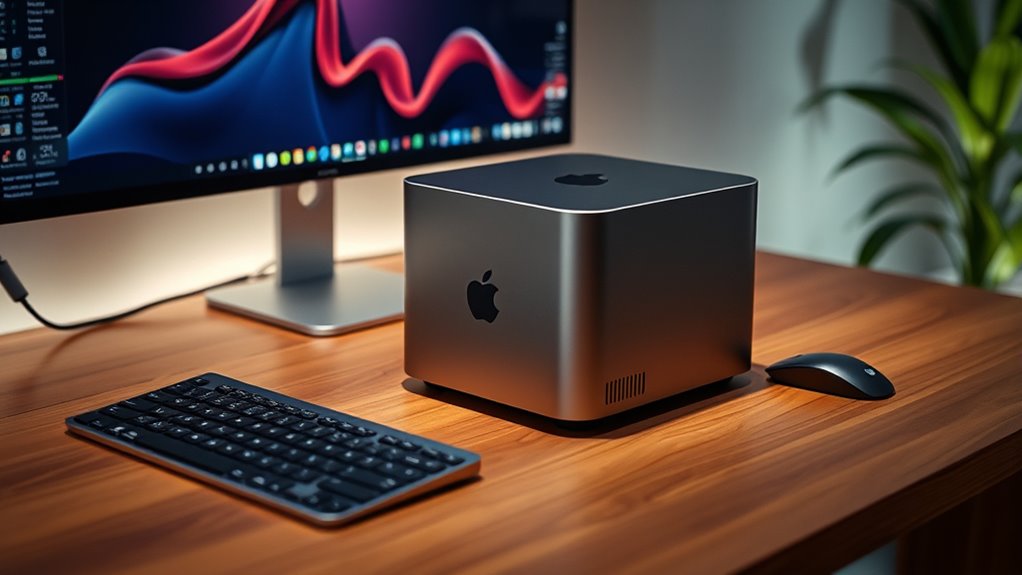

Choosing a renewed Mac Studio desktop in 2026 involves balancing performance, budget, and intended use. The Apple 2021 iMac with M1 Chip offers a vibrant display and solid performance for everyday tasks. For demanding workflows, the Apple Mac Studio with M5 Max Chip provides unmatched power and connectivity. The Apple 2022 Mac Studio with M1 Max strikes a balance with high-end specs suitable for professional multitasking. Lastly, the Apple 2023 iMac with M3 Chip delivers impressive speed in a sleek design, but with some limitations. Here’s how I see these options fitting different types of buyers and their tradeoffs.

Get hardware and tech essentials delivered free with Prime
- Fast, free delivery on millions of items
- Prime Video, Amazon Music and more included
- Member-only deals all year
Key Takeaways
- The Apple Mac Studio with M5 Max is best for high-end professional use but comes at a premium price.
- The 2022 Mac Studio offers a great balance of power and affordability for demanding multitaskers.
- The 2021 iMac provides a vibrant display ideal for creative work and general use, but with older tech.
- The 2023 iMac with M3 is a strong performer in a sleek package, though limited in RAM and storage.
- All options are renewed and inspected, but condition and warranty vary, impacting long-term reliability.
| Apple 2021 iMac with M1 Chip – 24-inch, 8GB RAM, 256GB SSD, Blue (Renewed) |  | Best for Creative Work and General Use | Operating System: Mac | Color: Blue | Display Size: 24-inch | VIEW ON AMAZON | See Our Full Breakdown |
| Apple Mac Studio with M5 Max Chip |  | Best for High-End Professional Workflows | Processor: M5 Max chip | Memory: Up to 128GB | Storage: Up to 614GB/s bandwidth, up to 2x faster storage | VIEW ON AMAZON | See Our Full Breakdown |
| Apple 2022 Mac Studio with M1 Max Chip, 10-Core CPU, 32GB RAM, 512GB SSD (Renewed) |  | Best for Power Users Needing High Performance | Operating System: macOS High Sierra | Memory: 32 GB LPDDR4 | Storage Capacity: 512 GB SSD | VIEW ON AMAZON | See Our Full Breakdown |
| Apple 2023 iMac with M3 Chip (24-inch, 8GB RAM, 256GB SSD, Renewed) |  | Best for Speed and Visual Quality in a Compact All-in-One | Processor: Apple M3 chip | Display: 24-inch 4.5K Retina | RAM: 8GB | VIEW ON AMAZON | See Our Full Breakdown |
| renewed mac studio desktop | Processor | Memory | Storage | Operating System |
|---|---|---|---|---|
| Apple 2021 iMac with M1 Chip | Apple M1, 8-core CPU, 7-core GPU, 4.1 GHz | 8 GB DDR3 SDRAM | 256 GB SSD | Mac |
| Apple Mac Studio with M5 Max C | M5 Max chip | Up to 128GB | Up to 614GB/s bandwidth, up to 2x faster storage | — |
| Apple 2022 Mac Studio with M1 | Apple M1 Max, 10-Core CPU | 32 GB LPDDR4 | — | macOS High Sierra |
| Apple 2023 iMac with M3 Chip | Apple M3 chip | — | 256GB SSD | — |
More Details on Our Top Picks
Apple 2021 iMac with M1 Chip – 24-inch, 8GB RAM, 256GB SSD, Blue (Renewed)
This 2021 iMac with M1 chip stands out for its vibrant 24-inch 4.5K Retina display, making it ideal for creative tasks like photo editing and design. Its sleek, colorful design adds aesthetic appeal to any workspace. Powered by the M1 chip, it offers impressive performance for everyday computing, with a surprisingly quiet operation. However, its limited port selection and 8GB DDR3 RAM can be restrictive for power users or those needing extensive peripherals or multitasking capabilities. Compared to the Mac Studio models, it’s less suited for heavy professional workflows but excels in visual and media tasks.
Pros:- Vivid 4.5K Retina display with wide color gamut
- Excellent performance with M1 chip
- Sleek, colorful design
- High-quality audio and video features
Cons:- Limited ports with only two Thunderbolt/USB 4 and two USB 3 ports
- Older DDR3 RAM technology
- Refurbished condition may vary in appearance
Best for: Creative professionals, students, and home users needing a vibrant display and reliable performance for everyday tasks
Not ideal for: High-end professionals or users requiring extensive ports, upgradeability, or maximum performance
- Operating System:Mac
- Color:Blue
- Display Size:24-inch
- Display Resolution:4.5K Retina
- Processor:Apple M1, 8-core CPU, 7-core GPU, 4.1 GHz
- Memory:8 GB DDR3 SDRAM
- Storage:256 GB SSD
- Graphics:7-Core GPU
- Connectivity:Bluetooth 5, Thunderbolt, USB 3.0, Wi-Fi 6
- Dimensions:27.24 x 6.89 x 23.77 inches
Our verdict“A vibrant, capable all-in-one suited for creatives and general use, but less ideal for heavy multitasking or professional workflows.”
Apple Mac Studio with M5 Max Chip
This Mac Studio with M5 Max chip is designed for demanding professional tasks, including AI, video editing, and 3D rendering. Its compact, unobtrusive design packs a punch with up to 128GB of memory and blazing-fast storage, supporting multiple external displays and intensive workloads. The extensive connectivity, including Thunderbolt 5, makes it highly versatile. Compared with the other models, it’s clearly aimed at professionals needing maximum power and expandability, but it comes at a premium price and lacks dedicated GPU options. It’s not suitable for casual users or those on a tight budget.
Pros:- Unmatched performance with M5 Max chip
- Up to 128GB RAM for multitasking and large projects
- Outstanding connectivity including Thunderbolt 5
- Compact, quiet design
Cons:- High cost, may be expensive for many users
- Limited upgrade options due to Apple silicon architecture
- No dedicated GPU options
Best for: Creative professionals, AI developers, and users running intensive workflows
Not ideal for: Casual users or those seeking an affordable, general-purpose desktop
- Processor:M5 Max chip
- Memory:Up to 128GB
- Storage:Up to 614GB/s bandwidth, up to 2x faster storage
- Ports:Four Thunderbolt 5, two USB-C, two USB-A, HDMI, SDXC, headphone
- Wireless:Wi-Fi 7, Bluetooth 6
- Dimensions:7.7 inches square
- Weight:5.94 pounds
Our verdict“This model excels for demanding professional workflows but may be overkill for typical home or office use.”
Apple 2022 Mac Studio with M1 Max Chip, 10-Core CPU, 32GB RAM, 512GB SSD (Renewed)
This 2022 Mac Studio with M1 Max offers a potent mix of high-end specs, including a 10-core CPU and 32GB RAM, making it ideal for multitasking, video editing, and professional workflows. Its 512GB SSD ensures fast data access, and the device has been inspected and tested thoroughly. Compared with the M5 Max model, it provides a slightly older but still highly capable processor, and the 32GB RAM offers excellent multitasking capacity. Its main drawback is that being a renewed product, it may come in generic packaging, and the accessories might not be original. Still, it’s a solid choice for those who need serious power without paying new-high-end prices.
Pros:- Powerful M1 Max chip with 10-core CPU
- Large 32GB RAM for heavy multitasking
- Fast 512GB SSD storage
- Professionally inspected and tested
Cons:- Renewed product may lack original packaging
- No dedicated GPU options—integrated graphics only
- Some accessories may not be original
Best for: Power users and professionals needing high RAM and CPU performance
Not ideal for: Casual users or those seeking the latest chip architecture
- Operating System:macOS High Sierra
- Memory:32 GB LPDDR4
- Storage Capacity:512 GB SSD
- Graphics:Integrated DDR4 SDRAM
- Display Size:24 inches
- Processor:Apple M1 Max, 10-Core CPU
- Battery Capacity:Exceeds 80%
Our verdict“This Mac Studio balances high performance with a renewed price point, making it suitable for demanding workflows without the latest chip architecture.”
Apple 2023 iMac with M3 Chip (24-inch, 8GB RAM, 256GB SSD, Renewed)
The 2023 iMac with M3 chip offers a significant speed boost with a 24-inch 4.5K Retina display, making it perfect for both work and entertainment. Its sleek, space-efficient design is a plus for small desks, and the M3 chip ensures fast performance for everyday tasks and media consumption. However, with only 8GB RAM and 256GB storage, it may fall short for power users or those with extensive data needs. As a renewed product, it could have limited warranty coverage. Nevertheless, this model shines in visual quality and speed, especially for users who prioritize aesthetics and seamless integration.
Pros:- Powerful M3 chip for fast performance
- Vivid 4.5K Retina display
- Sleek, space-saving design
- Seamless Apple ecosystem integration
Cons:- Limited to 8GB RAM, upgrade options unclear
- Only 256GB SSD storage, may be limiting
- Renewed product may have limited warranty
Best for: General users, students, and those valuing speed and design in a compact package
Not ideal for: Power users or anyone needing extensive RAM or storage capacity
- Processor:Apple M3 chip
- Display:24-inch 4.5K Retina
- RAM:8GB
- Storage:256GB SSD
- Color:Silver
- Camera:1080p FaceTime HD
- Speakers:Six-speaker with Spatial Audio
- Ports:Two Thunderbolt / USB 4, headphone
Our verdict“A speedy, stylish all-in-one suitable for everyday use, but less ideal for users with high multitasking or storage demands.”

How We Picked
Our selection process focused on performance, design, upgradeability, and value for renewal options. We prioritized models with high-performance chips suitable for various workflows, considering the balance between price and specs. Each product was evaluated based on its role: everyday use, high-end professional tasks, or a balance of both. We also considered the condition of the renewed units, their warranty coverage, and user reviews to ensure reliable performance. Finally, we compared connectivity options, display quality, and upgrade potential to recommend models that best serve different buyer needs.
| renewed mac studio desktop | Operating System | Color | Processor | Ports |
|---|---|---|---|---|
| Apple 2021 iMac with M1 Chip | Mac | Blue | Apple M1, 8-core CPU, 7-core GPU, 4.1 GHz | — |
| Apple Mac Studio with M5 Max C | — | — | M5 Max chip | Four Thunderbolt 5, two USB-C, two USB-A, HDMI, SDXC, headphone |
| Apple 2022 Mac Studio with M1 | macOS High Sierra | — | Apple M1 Max, 10-Core CPU | — |
| Apple 2023 iMac with M3 Chip | — | Silver | Apple M3 chip | Two Thunderbolt / USB 4, headphone |
Factors to Consider When Choosing Renewed Mac Studio Desktops
When selecting a renewed Mac Studio desktop, it’s essential to match the device’s capabilities with your primary needs. Consider the complexity of your workflows, whether you need high-end performance, excellent display quality, or a balance of both. Budget constraints can influence your choice, especially since renewal status often means some tradeoffs in warranty or packaging. Understanding the differences in processor power, RAM, storage, and connectivity will help you pick the right model to maximize your investment while minimizing surprises.
Performance Needs
High-end creative professionals or developers should look toward the Mac Studio with M5 Max or M1 Max chips for maximum processing power and RAM capacity. For general use or lighter creative tasks, the M3-based iMac offers sufficient speed without the higher cost or bulk. Be aware that older chips may limit future upgrades or compatibility with new software, so consider your long-term needs carefully.
Display and Design
The 24-inch Retina displays on the iMacs provide excellent visual fidelity, ideal for photo editing, video work, and multimedia. The all-in-one design simplifies your desk setup but may limit upgrade options. The Mac Studio models focus more on performance and connectivity, with less emphasis on display, so if visual quality is your priority, the iMacs are better suited.
Connectivity and Expandability
Mac Studio models excel here, especially the M5 Max with Thunderbolt 5, multiple USB ports, HDMI, and SDXC slots, making them versatile for external peripherals. The iMacs have fewer ports, which might require additional hubs or adapters. Consider your peripheral needs when choosing, especially if you rely on multiple external devices.
Frequently Asked Questions
Are renewed Mac Studio desktops reliable?
Renewed Mac Studio desktops undergo thorough inspection and testing to ensure they meet performance standards. While they are not brand new, reputable sellers typically provide warranties or guarantees, which adds a layer of security. However, condition can vary, so it’s important to buy from trusted sources and review warranty policies to guarantee long-term reliability.
Can I upgrade the RAM or storage on these renewed Mac Studio models?
Most Mac Studio models, especially those with Apple silicon like the M1, M3, and M5 chips, have integrated RAM and storage, making upgrades difficult or impossible after purchase. It’s crucial to choose a configuration that meets your needs initially, as future upgrades are limited. For more flexibility, consider models with higher initial specs or professional-grade options.
Which model offers the best balance of performance and price?
The 2022 Mac Studio with M1 Max strikes a notable balance, providing high-end specs for demanding tasks at a more accessible price than the M5 Max version. It’s a solid choice for users who need power without paying the top-tier premium, especially if you’re willing to accept slightly older architecture.
How does the display quality compare across these models?
The 24-inch iMacs, both 2021 and 2023, feature stunning 4.5K Retina displays with wide color support, making them superior for visual tasks. The Mac Studio models do not emphasize display quality, as they are more focused on performance and connectivity, so if display quality is your priority, the iMacs are the better pick.
What should I consider regarding warranty and condition for renewed products?
Renewed products vary in warranty coverage and packaging quality. Reputable sellers often provide warranties comparable to new devices, but some may offer limited coverage. It’s essential to review warranty details and seller reputation before purchasing, especially if you rely heavily on your desktop for professional work or data security.
Conclusion
For casual users, students, or creative professionals prioritizing display quality and aesthetics, the Apple 2021 iMac with M1 chip offers excellent value. Power users and professionals needing maximum performance and expandability should lean toward the Mac Studio with M5 Max chip or the 2022 Mac Studio with M1 Max. Budget-conscious buyers seeking the best balance of price and performance might find the 2022 Mac Studio more appealing, while those valuing speed and design in a compact form will appreciate the 2023 iMac with M3 chip. Each choice involves tradeoffs in upgradeability, storage, and initial cost, so align your pick with your primary tasks and future needs.
Evergreen bestsellers Picks

Vitamix Ascent X3 Professional-Grade Blender, 48 oz, Shadow Black

KitchenAid Artisan 5-Quart Tilt-Head Stand Mixer, Almond Cream

Roborock Q7 M5+ Robot Vacuum and Mop with Self-Emptying Dock
As an affiliate, we earn on qualifying purchases.