
Choosing the right MacBook Pro for data science and AI requires balancing raw compute power with memory bandwidth. My top recommendation is the Apple MacBook Pro with M5 Pro Chip (48GB RAM) because it offers the unified memory capacity necessary for running larger local LLMs and complex neural networks without crashing. For those prioritizing portability over heavy training loads, the Apple 2025 MacBook Pro with M5 Chip (16GB RAM) delivers exceptional efficiency and speed for data cleaning and model inference. The main tradeoff you will face is between cost and memory: higher RAM configurations are expensive but prevent the severe slowdowns that occur when swapping to disk during intensive AI tasks. Continue reading to see how these nine models stack up against each other for specific data science workflows.

Get hardware and tech essentials delivered free with Prime
- Fast, free delivery on millions of items
- Prime Video, Amazon Music and more included
- Member-only deals all year
Key Takeaways
- Unified memory architecture in Apple Silicon is the single most important spec for running local AI models, making 48GB RAM configurations significantly more capable than 16GB models for serious work.
- The jump from M1 Pro to M5 chips represents a massive leap in neural engine performance, reducing training times for moderate-sized models by half or more.
- Renewed Intel-based MacBook Pros are no longer viable for serious AI development due to thermal throttling and lack of hardware acceleration for modern frameworks like PyTorch or TensorFlow on macOS.
- SSD speed matters less than RAM capacity for data science workflows, as most bottlenecks occur in memory bandwidth rather than storage read/write speeds.
- The 14-inch form factor offers the best balance of screen real estate for coding and portability, while the 16-inch model is primarily for users who refuse to use an external monitor.
| Apple 2025 MacBook Pro Laptop with M5 Chip, 14.2-inch Liquid Retina XDR Display, 16GB RAM, 1TB SSD, Silver |  | Best Entry Point for Local AI Work | Processor: Apple M5 chip, 10-core CPU and GPU | Display: 14.2-inch Liquid Retina XDR | Memory: 16GB unified memory | VIEW ON AMAZON | See Our Full Breakdown |
| Apple MacBook Pro Laptop with M5 Pro Chip, 15-core CPU, 16-core GPU, 14.2-inch Liquid Retina XDR Display, 48GB RAM, 1TB SSD, Space Black |  | Best for Memory-Heavy Data Science and AI | Processor: Apple M5 Pro chip, 15-core CPU and 16-core GPU | Display: 14.2-inch Liquid Retina XDR | Memory: 48GB unified memory | VIEW ON AMAZON | See Our Full Breakdown |
| Apple MacBook Pro 14-inch (2021, M1 Pro, 16GB RAM, 1TB SSD, Space Gray) |  | Best Older Apple Silicon Option | Model year: 2021 | Processor: Apple M1 Pro, 10-core CPU | GPU: 16-core | VIEW ON AMAZON | See Our Full Breakdown |
| Apple MacBook Pro 13.3-inch with Touch Bar, Intel Core i5, 16GB RAM, 256GB SSD (Renewed), Space Gray |  | Best for Basic Coding on a Tight Hardware Budget | Condition: Renewed | Display: 13.3-inch Retina LED | Processor: 3.1GHz dual-core Intel Core i5, Turbo Boost up to 3.5GHz | VIEW ON AMAZON | See Our Full Breakdown |
| Apple MacBook Pro 14-inch with M1 Pro, 10-core CPU, 16-core GPU, 16GB RAM, and 1TB SSD, Space Gray, with AppleCare+ |  | Best for Buyers Who Want Extended Coverage | Display size: 14 inches | Processor: Apple M1 Pro, 10-core CPU | GPU: 16-core | VIEW ON AMAZON | See Our Full Breakdown |
| Apple 2026 MacBook Pro Laptop with M5 Pro Chip, 16.2-inch Liquid Retina XDR Display, 48GB RAM, 1TB SSD, Wi-Fi 7, Space Black |  | Best Overall for Demanding Local AI Work | Processor: Apple M5 Pro, 18-core CPU and 20-core GPU | Display: 16.2-inch Liquid Retina XDR | Memory: 48GB unified memory | VIEW ON AMAZON | See Our Full Breakdown |
| Apple 2025 MacBook Pro Laptop with M5 Chip, 14.2-inch Liquid Retina XDR Display, 16GB RAM, 512GB SSD, Space Black |  | Best Compact MacBook Pro for Data Science | Processor: Apple M5, 10-core CPU and GPU | Display: 14.2-inch Liquid Retina XDR | Memory: 16GB unified memory | VIEW ON AMAZON | See Our Full Breakdown |
| Apple 2025 MacBook Pro Laptop with M5 Chip, 14.2-inch Liquid Retina XDR Display, 16GB RAM, 512GB SSD, Silver |  | Best Silver 14-Inch Pick for Everyday Analysis | Processor: Apple M5, 10-core CPU and GPU | Display: 14.2-inch Liquid Retina XDR | Memory: 16GB unified memory | VIEW ON AMAZON | See Our Full Breakdown |
| Apple MacBook Pro 13-inch (2017) with Retina Display, Intel Core i5 2.3 GHz, 16 GB RAM, 256 GB SSD, Silver (Renewed) | 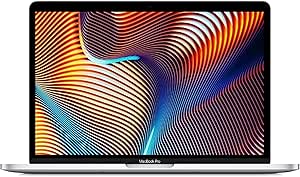 | Best for Basic Coding on a Tight Spec | Year and condition: 2017, renewed | Processor: Intel Core i5, dual-core, 2.3 GHz | Memory: 16GB DDR3 SDRAM, 2133 MHz | VIEW ON AMAZON | See Our Full Breakdown |
| macbook pro for data science and ai | Processor | Memory | Storage | Display |
|---|---|---|---|---|
| Apple 2025 MacBook Pro Laptop | Apple M5 chip, 10-core CPU and GPU | 16GB unified memory | 1TB SSD | 14.2-inch Liquid Retina XDR |
| Apple MacBook Pro Laptop with | Apple M5 Pro chip, 15-core CPU and 16-core GPU | 48GB unified memory | 1TB SSD | 14.2-inch Liquid Retina XDR |
| Apple MacBook Pro 14-inch | Apple M1 Pro, 10-core CPU | 16GB unified memory | 1TB SSD | 14-inch Liquid Retina XDR |
| Apple MacBook Pro 13.3-inch wi | 3.1GHz dual-core Intel Core i5, Turbo Boost up to 3.5GHz | Conflicting listing: title and description state 16GB; item details also list 8GB | 256GB SSD | 13.3-inch Retina LED |
| Apple MacBook Pro 14-inch with | Apple M1 Pro, 10-core CPU | 16GB RAM | 1TB SSD | — |
| Apple 2026 MacBook Pro Laptop | Apple M5 Pro, 18-core CPU and 20-core GPU | 48GB unified memory | 1TB SSD | 16.2-inch Liquid Retina XDR |
| Apple 2025 MacBook Pro Laptop | Apple M5, 10-core CPU and GPU | 16GB unified memory | 512GB SSD | 14.2-inch Liquid Retina XDR |
| Apple 2025 MacBook Pro Laptop | Apple M5, 10-core CPU and GPU | 16GB unified memory | 512GB SSD | 14.2-inch Liquid Retina XDR |
| Apple MacBook Pro 13-inch | Intel Core i5, dual-core, 2.3 GHz | 16GB DDR3 SDRAM, 2133 MHz | 256GB SSD | 13.3-inch Retina LED, 2560 × 1600 |
More Details on Our Top Picks
Apple 2025 MacBook Pro Laptop with M5 Chip, 14.2-inch Liquid Retina XDR Display, 16GB RAM, 1TB SSD, Silver
I’d choose this 14-inch M5 MacBook Pro for data science work that mixes coding, analysis, and smaller on-device AI tasks. Its 10-core CPU and GPU provide a newer platform than the M1 Pro MacBook Pro models in this roundup, while the 1TB SSD leaves more room for datasets, environments, and project files than their configurations can offer. The Liquid Retina XDR screen and broad selection of built-in ports also suit a desk setup without requiring a hub for every connection.
The main limit is 16GB of unified memory: it can constrain larger notebooks, concurrent tools, and local models before the processor does. The M5 Pro model with 48GB is a better fit for memory-heavy workloads. I’d pick this one for a newer, balanced machine, not as a substitute for a higher-memory AI workstation.
Pros:- M5 chip with a 10-core CPU and GPU for current-generation general and creative workloads
- 1TB SSD provides room for datasets, software environments, and project files
- 14.2-inch Liquid Retina XDR display offers a high-contrast workspace for code and visual analysis
- Ports include Thunderbolt 4, HDMI, SDXC, and MagSafe 3
Cons:- 16GB unified memory limits headroom for large datasets and local AI models
- Less suited to parallel, memory-intensive work than the 48GB M5 Pro model
- Built-in port selection may still require adapters for some peripherals
Best for: Data science learners and working analysts who want a current 14-inch MacBook Pro for coding, data exploration, and modest local AI workloads.
Not ideal for: Researchers running large local models or several memory-heavy tools at once; the 16GB unified memory is a tighter ceiling than the 48GB M5 Pro configuration.
- Processor:Apple M5 chip, 10-core CPU and GPU
- Display:14.2-inch Liquid Retina XDR
- Memory:16GB unified memory
- Storage:1TB SSD
- Battery life:All-day
- Ports:Three Thunderbolt 4, MagSafe 3, SDXC card slot, HDMI, headphone jack
- Color:Silver
Our verdict“Choose this M5 model for a newer everyday data science laptop with 1TB of storage, but opt for the 48GB M5 Pro if local AI workloads need more memory.”
Apple MacBook Pro Laptop with M5 Pro Chip, 15-core CPU, 16-core GPU, 14.2-inch Liquid Retina XDR Display, 48GB RAM, 1TB SSD, Space Black
For data science and AI work that pushes memory, I rank this M5 Pro with 48GB unified memory ahead of the standard M5 model. Extra memory can make a practical difference when notebooks, datasets, development tools, and a local model need to stay open together. Its 15-core CPU and 16-core GPU also give it a stronger workload profile than the 16GB M5 and M1 Pro options in this lineup, while the 1TB SSD provides useful working space.
The tradeoff is that this much capability may be unnecessary for coursework, cloud-based model training, or lighter analysis. It remains a 14.2-inch laptop, so buyers who want a larger workspace should compare it with the 16.2-inch M5 Pro listed elsewhere in the roundup. I’d pay attention to workload and portability, not just the chip name.
Pros:- 48GB unified memory gives more room for large datasets, multitasking, and local AI experiments
- M5 Pro chip combines a 15-core CPU with a 16-core GPU
- 1TB SSD accommodates development tools and active project files
- Thunderbolt 5, HDMI, and SDXC provide a useful range of wired connections
Cons:- More memory and processing capacity than many introductory or cloud-first workflows require
- The 14.2-inch display provides less workspace than the 16.2-inch M5 Pro alternative
- A demanding configuration may be less portable in practice than lighter-duty options
Best for: Data scientists and AI developers who run multiple heavy applications, work with substantial datasets, or need more memory for local model experimentation.
Not ideal for: Students and analysts whose work stays in cloud notebooks or uses modest datasets; the 48GB configuration may be more capacity than they need.
- Processor:Apple M5 Pro chip, 15-core CPU and 16-core GPU
- Display:14.2-inch Liquid Retina XDR
- Memory:48GB unified memory
- Storage:1TB SSD
- Ports:Three Thunderbolt 5, MagSafe 3, SDXC, HDMI, headphone jack
- Wireless:Wi-Fi 7, Bluetooth 6
- Camera:12MP Center Stage
- Color:Space Black
Our verdict“Pick this M5 Pro when your data and local AI workloads need 48GB of memory in a portable 14-inch form; skip it for mostly cloud-based work.”
Apple MacBook Pro 14-inch (2021, M1 Pro, 16GB RAM, 1TB SSD, Space Gray)
This 2021 M1 Pro MacBook Pro remains a more capable data science choice than the renewed Intel Core i5 model in this batch: it pairs a 10-core CPU and 16-core GPU with 16GB unified memory and a 1TB SSD. That gives analysts a more suitable base for coding, visualization, and everyday model development than the older dual-core Intel configuration. Its 14-inch Liquid Retina XDR display also offers a strong workspace for reading code and inspecting charts.
Its age matters beside the 2025 M5 MacBook Pro, which has a newer chip and all-day battery description. The M1 Pro’s 16GB memory also falls well short of the 48GB M5 Pro for larger local models. I’d consider it when this specific older generation fits the task and configuration, but its description does not establish support details or condition, so verify those before buying.
Pros:- M1 Pro 10-core CPU and 16-core GPU offer a stronger data science platform than the listed dual-core Intel model
- 1TB SSD provides useful capacity for datasets and software
- 14-inch Liquid Retina XDR display supports detailed code and visual analysis
- Up to 17 hours of battery life is stated in the product description
Cons:- 16GB unified memory offers much less headroom than the M5 Pro model’s 48GB
- Older M1 Pro generation trails the 2025 M5 option in chip generation
- Product data does not specify condition or warranty details
Best for: Budget-conscious data science buyers seeking an Apple silicon MacBook Pro with a 1TB SSD for coding, data analysis, and moderate development work.
Not ideal for: AI researchers who need substantial memory for large local models, or buyers who want a newer chip and clearly specified all-day battery life.
- Model year:2021
- Processor:Apple M1 Pro, 10-core CPU
- GPU:16-core
- Display:14-inch Liquid Retina XDR
- Memory:16GB unified memory
- Storage:1TB SSD
- Battery life:Up to 17 hours
- Camera:1080p FaceTime HD
Our verdict“Choose this M1 Pro only if its older-generation 16GB and 1TB configuration fits your workload and the listing’s condition checks out.”
Apple MacBook Pro 13.3-inch with Touch Bar, Intel Core i5, 16GB RAM, 256GB SSD (Renewed), Space Gray
I’d place this renewed Intel MacBook Pro at the entry end of this roundup, suitable mainly for lightweight coding and learning rather than serious AI development. Its 3.1GHz dual-core Core i5 and Intel Iris Plus graphics are a clear step down for parallel workloads and model experimentation from the M1 Pro 14-inch MacBook Pro, let alone either M5 model. Four Thunderbolt 3 ports offer connection flexibility, but they do not compensate for the older processor or limited storage.
The biggest concern is not just the 256GB SSD; the memory listing conflicts, with the title and description saying 16GB while item details also list 8GB. The renewed condition and minimum 90-day supplier-backed warranty add uncertainty compared with the newer machines. I’d only consider it for basic coursework after confirming the actual memory and software compatibility.
Pros:- Four Thunderbolt 3 ports provide multiple wired connection options
- 13.3-inch Retina display in a compact form
- Touch Bar includes Touch ID
- Supplier-inspected renewed unit includes a minimum 90-day supplier-backed warranty
Cons:- Dual-core Intel processor and integrated graphics are poorly suited to demanding data science or AI work
- 256GB SSD leaves limited room for datasets and development environments
- Memory details conflict between 16GB and 8GB, so the actual configuration is unclear
Best for: Learners who need a Mac for basic programming, web-based coursework, and light data handling, and who can verify the unit’s actual memory before purchase.
Not ideal for: Data scientists training models, handling large datasets, or relying on current software support; the dual-core Intel processor, small SSD, and conflicting memory details make it a poor fit.
- Condition:Renewed
- Display:13.3-inch Retina LED
- Processor:3.1GHz dual-core Intel Core i5, Turbo Boost up to 3.5GHz
- Memory:Conflicting listing: title and description state 16GB; item details also list 8GB
- Storage:256GB SSD
- Graphics:Intel Iris Plus Graphics 640
- Operating system:macOS 10.12 Sierra
- Ports:Four Thunderbolt 3 ports
- Warranty:Minimum 90-day supplier-backed warranty
Our verdict“Buy this renewed Intel model only for basic coding after confirming its memory and software needs; the M1 Pro is a much better fit for heavier data work.”
Apple MacBook Pro 14-inch with M1 Pro, 10-core CPU, 16-core GPU, 16GB RAM, and 1TB SSD, Space Gray, with AppleCare+
This 14-inch M1 Pro MacBook Pro with AppleCare+ is a practical fit for established data science workflows that need a 10-core CPU, 16-core GPU, and 1TB SSD but do not require the newest chip generation. Against the 2021 M1 Pro listing in this batch, the core processor and memory configuration are similar; this bundle’s clearest distinction is the stated three-year AppleCare+ coverage, including up to two accidental damage incidents subject to service fees and tax. That coverage angle may matter to buyers who expect to carry the laptop between workspaces.
For local AI, 16GB RAM is the limiting factor, not the storage. The 48GB M5 Pro is a stronger choice for larger models and multitasking, while the standard M5 brings a newer generation. I’d favor this bundle only when its coverage terms are useful and the older M1 Pro performance matches the workload.
Pros:- M1 Pro combines a 10-core CPU and 16-core GPU for established development workflows
- 1TB SSD provides substantial local project and dataset storage
- AppleCare+ is listed with three years of coverage
- Coverage includes up to two accidental damage incidents, subject to service fees and applicable tax
Cons:- 16GB RAM can limit larger local models and memory-intensive multitasking
- M1 Pro is an older generation than the 2025 M5 models in the roundup
- Accidental damage claims are subject to service fees and applicable tax
Best for: Mobile analysts and developers who want an M1 Pro MacBook Pro with 1TB storage and value the listed AppleCare+ coverage for accidental damage.
Not ideal for: AI developers running memory-hungry local models or buyers prioritizing the newest chip; 16GB memory and the older M1 Pro generation trail the M5 Pro option.
- Display size:14 inches
- Processor:Apple M1 Pro, 10-core CPU
- GPU:16-core
- Memory:16GB RAM
- Storage:1TB SSD
- Color:Space Gray
- AppleCare+ coverage:Three years; up to two accidental damage incidents, subject to service fees and applicable tax
- Screen or enclosure damage service fee:$99
- Other damage service fee:$299
Our verdict“Choose this M1 Pro bundle if its 1TB storage and stated AppleCare+ coverage matter more to you than newer silicon or higher memory.”
Apple 2026 MacBook Pro Laptop with M5 Pro Chip, 16.2-inch Liquid Retina XDR Display, 48GB RAM, 1TB SSD, Wi-Fi 7, Space Black
For data scientists who want to run larger workloads locally, this configuration brings together an M5 Pro chip, 48GB unified memory, and a 1TB SSD. That memory headroom is the main reason I rank it ahead of the 14-inch M5 models with 16GB: it better suits multitasking across notebooks, datasets, and development tools, though it is not a substitute for dedicated accelerator hardware on very large models. Its 16.2-inch XDR display gives code, charts, and side-by-side windows more room than the 14.2-inch options. The tradeoff is portability: at 4.71 pounds, it is much heavier than the 14-inch M5 MacBook Pro. I’d choose it for sustained professional work, not for buyers whose priority is a light everyday carry.
Pros:- 48GB unified memory offers more room for parallel tools and memory-heavy datasets than the 16GB M5 configurations.
- M5 Pro 18-core CPU and 20-core GPU provide a stronger performance tier for demanding professional workloads.
- 16.2-inch Liquid Retina XDR display gives code, notebooks, and visualizations more working space.
- Thunderbolt 5, Wi-Fi 7, HDMI, and SDXC provide broad connectivity for desks and external devices.
Cons:- At 4.71 pounds, it is considerably less convenient to carry than the 14-inch MacBook Pro models.
- The listed specs do not establish performance for every AI framework or very large model workload.
- The 1TB SSD may still be limiting for buyers who keep extensive datasets and model files locally.
Best for: Data scientists and AI developers who need generous memory for local experimentation, multiple tools, and large datasets, and who prefer a spacious screen.
Not ideal for: Frequent travelers or buyers focused on lightweight portability; its 4.71-pound weight is a substantial step up from the 14-inch models.
- Processor:Apple M5 Pro, 18-core CPU and 20-core GPU
- Display:16.2-inch Liquid Retina XDR
- Memory:48GB unified memory
- Storage:1TB SSD
- Connectivity:Wi-Fi 7, Bluetooth 6, Thunderbolt 5, MagSafe 3, SDXC, HDMI, headphone jack
- Camera:12MP Center Stage
- Audio:Six speakers with Spatial Audio and Dolby Atmos
- Weight:4.71 pounds
Our verdict“Choose this configuration if local data work and 48GB of memory matter more than carrying a lighter laptop.”
Apple 2025 MacBook Pro Laptop with M5 Chip, 14.2-inch Liquid Retina XDR Display, 16GB RAM, 512GB SSD, Space Black
This 14-inch M5 MacBook Pro is the more portable route into Apple’s current Pro laptop line. Its 3.41-pound frame and 14.2-inch XDR display suit researchers who move between home, office, and campus, while the M5’s 10-core CPU and GPU are a more current foundation than the dual-core processor in the renewed 2017 model. Against the 16.2-inch M5 Pro pick, however, it gives up both screen space and the listed 48GB memory capacity; its 16GB may constrain large local datasets, virtual environments, or concurrent applications. The 512GB SSD also calls for external storage if projects accumulate. I’d put this ahead of the silver M5 version only for buyers who specifically prefer Space Black, since the listed core configuration is otherwise the same.
Pros:- M5 10-core CPU and GPU are a newer platform than the dual-core Intel processor in the 2017 renewed model.
- 14.2-inch Liquid Retina XDR display combines a compact footprint with a high-end display.
- Three Thunderbolt 4 ports, HDMI, SDXC, and MagSafe 3 support varied desk and field setups.
- At 3.41 pounds, it is easier to carry than the 16.2-inch M5 Pro model.
Cons:- 16GB unified memory offers much less headroom than the 48GB M5 Pro configuration for demanding local workloads.
- 512GB SSD can fill quickly with datasets, environments, and model files.
- The 14.2-inch screen provides less workspace for comparing code, charts, and notebooks than the 16.2-inch model.
Best for: Students, analysts, and mobile developers who want a current 14-inch MacBook Pro for notebooks, coding, and moderate data workflows.
Not ideal for: AI practitioners running memory-intensive local models or keeping large datasets on the laptop; 16GB RAM and 512GB storage leave less headroom than the M5 Pro configuration.
- Processor:Apple M5, 10-core CPU and GPU
- Display:14.2-inch Liquid Retina XDR
- Memory:16GB unified memory
- Storage:512GB SSD
- Ports:Three Thunderbolt 4, MagSafe 3, SDXC, HDMI, headphone jack
- Battery life:All-day (as described)
- Weight:3.41 pounds
- Color:Space Black
Our verdict“Pick this Space Black 14-inch model for portable, moderate data-science work, but choose the M5 Pro version for memory-heavy local AI tasks.”
Apple 2025 MacBook Pro Laptop with M5 Chip, 14.2-inch Liquid Retina XDR Display, 16GB RAM, 512GB SSD, Silver
The silver version offers the same listed M5, 16GB memory, and 512GB SSD as the Space Black 14-inch model, so color—not extra computing headroom—is what separates these two entries. For data science, the practical appeal is a compact Pro laptop with an XDR screen and a useful mix of Thunderbolt 4, HDMI, and SDXC ports. That makes it a sensible fit for Python development, coursework, dashboards, and moderate analysis, while the 16GB ceiling makes it a weaker choice than the 48GB M5 Pro when workloads need more memory or run many tools at once. Compared with the renewed 2017 MacBook Pro, this is the more current platform described here, but it still has limited local storage for growing datasets. Choose it when the silver finish is your preference and the workload fits its memory and storage.
Pros:- M5 chip with 10-core CPU and GPU provides a current processor and graphics configuration.
- 14.2-inch Liquid Retina XDR display suits mobile coding and data visualization.
- Three Thunderbolt 4 ports plus HDMI and SDXC support a range of peripherals and displays.
- All-day battery life is listed for untethered work sessions.
Cons:- 16GB unified memory is a limiting factor for larger local workloads compared with the 48GB M5 Pro model.
- 512GB SSD leaves limited room for extensive datasets and locally stored models.
- The listed core specifications match the Space Black M5 model, so the silver finish brings no stated performance advantage.
Best for: Data-science students and analysts who want a silver 14-inch MacBook Pro for coding, coursework, and moderate datasets.
Not ideal for: Buyers who need extensive local model storage or memory for heavier AI experiments; the 512GB SSD and 16GB RAM are less accommodating than the 48GB M5 Pro option.
- Processor:Apple M5, 10-core CPU and GPU
- Display:14.2-inch Liquid Retina XDR
- Memory:16GB unified memory
- Storage:512GB SSD
- Ports:Three Thunderbolt 4, MagSafe 3, SDXC, HDMI, headphone jack
- Battery life:All-day (as described)
- Color:Silver
Our verdict“Choose the silver M5 model if you want this compact configuration in silver and your data work does not demand more than 16GB of memory.”
Apple MacBook Pro 13-inch (2017) with Retina Display, Intel Core i5 2.3 GHz, 16 GB RAM, 256 GB SSD, Silver (Renewed)
This renewed 2017 MacBook Pro belongs at the bottom of a data-science shortlist: its dual-core Intel Core i5 and integrated Iris Plus Graphics 640 are far removed from the M5 and M5 Pro configurations above. The 16GB of RAM can support basic multitasking, and the 13.3-inch Retina display keeps the laptop compact, but neither feature makes it a strong choice for current AI development or demanding data processing. Compared with the 14-inch M5 models, it has half the listed storage of their 512GB SSDs and only two Thunderbolt 3 ports, so adapters or external drives may be needed. The supplied specification lists macOS 10.14 Mojave, which also makes software compatibility a key concern for modern tools. I’d treat it as a low-demand coding machine, not a serious local AI workstation.
Pros:- 16GB DDR3 memory supports basic multitasking.
- 13.3-inch Retina display has a stated 2560 × 1600 resolution.
- Three-pound weight makes it more portable than the 16.2-inch M5 Pro model.
- 256GB SSD offers faster storage access than a mechanical drive.
Cons:- Dual-core Intel Core i5 is substantially less suited to demanding workloads than the M5 chips in the newer models.
- Integrated Intel Iris Plus Graphics 640 is a limited fit for local AI and graphics-heavy work.
- 256GB storage, two Thunderbolt 3 ports, and the listed macOS 10.14 Mojave constrain setup flexibility and software use.
Best for: A buyer seeking a compact renewed Mac for basic coding, light spreadsheet analysis, or learning programming with modest workloads.
Not ideal for: AI developers, data scientists handling large datasets, or anyone needing a modern software environment; its dual-core processor, 256GB SSD, and listed Mojave operating system are significant limitations.
- Year and condition:2017, renewed
- Processor:Intel Core i5, dual-core, 2.3 GHz
- Memory:16GB DDR3 SDRAM, 2133 MHz
- Storage:256GB SSD
- Display:13.3-inch Retina LED, 2560 × 1600
- Graphics:Integrated Intel Iris Plus Graphics 640
- Operating system:macOS 10.14 Mojave
- Ports and weight:Two Thunderbolt 3 (USB-C) ports; 3 pounds
Our verdict“Consider this renewed 2017 model only for basic coding and light analysis, not for serious data-science or AI workloads.”

How We Picked
I evaluated these models based on their ability to handle modern data science workflows, specifically focusing on unified memory bandwidth and neural engine performance. Since local AI development often involves loading multi-gigabyte models into RAM, I prioritized machines with higher memory configurations and newer Apple Silicon generations that offer better efficiency cores for background tasks. I also considered the thermal architecture, as sustained performance during long training epochs is more valuable than peak benchmark scores.
| macbook pro for data science and ai | Ports | Color |
|---|---|---|
| Apple 2025 MacBook Pro Laptop | Three Thunderbolt 4, MagSafe 3, SDXC card slot, HDMI, headphone jack | Silver |
| Apple MacBook Pro Laptop with | Three Thunderbolt 5, MagSafe 3, SDXC, HDMI, headphone jack | Space Black |
| Apple MacBook Pro 14-inch | — | — |
| Apple MacBook Pro 13.3-inch wi | Four Thunderbolt 3 ports | — |
| Apple MacBook Pro 14-inch with | — | Space Gray |
| Apple 2026 MacBook Pro Laptop | — | — |
| Apple 2025 MacBook Pro Laptop | Three Thunderbolt 4, MagSafe 3, SDXC, HDMI, headphone jack | Space Black |
| Apple 2025 MacBook Pro Laptop | Three Thunderbolt 4, MagSafe 3, SDXC, HDMI, headphone jack | Silver |
| Apple MacBook Pro 13-inch | — | — |
Factors to Consider When Choosing Macbook Pro For Data Science And Ai
Selecting a laptop for AI work is different from buying one for general productivity. The hardware requirements are specific, and buying the wrong configuration can result in a machine that is either overkill for your needs or too limited to run the tools you need. Here are the key factors to weigh before making a purchase.
Memory Bandwidth and Unified Memory Capacity
For data science and AI, RAM capacity is the primary bottleneck. Unlike traditional PCs where GPU VRAM is separate from system RAM, Apple Silicon uses a unified memory architecture. This means your system RAM is also your video memory. If you are running large language models or processing massive datasets, a 16GB machine will struggle and swap to disk, causing extreme slowdowns. 48GB or more is recommended for anyone seriously working with LLMs or large pandas dataframes. If you are just learning or doing light analysis, 16GB is the absolute minimum, but it will limit the size of models you can load locally.
Neural Engine Performance and Chip Generation
The Neural Engine in Apple Silicon chips handles machine learning inference tasks. Newer generations like the M4 and M5 have significantly more cores and higher throughput than the M1 or M2. For data scientists, this translates to faster inference times when testing models or running local applications. However, if your primary work involves heavy training, you might still rely on cloud GPUs. In that case, the chip generation matters less for training but greatly affects the speed of your local development environment, Jupyter notebook execution, and data preprocessing tasks.
Thermal Throttling and Sustained Workloads
AI workloads often run for hours. The 13-inch Intel models and even some thinner Apple Silicon models can throttle performance to manage heat. The 14-inch and 16-inch MacBook Pro models have larger vapor chambers and better airflow, allowing them to sustain high performance for longer periods. If you are running long data cleaning scripts or local model training, a 13-inch model might become uncomfortably hot and slow down. Choosing a Pro model with active cooling is a smart investment for reliability during heavy computational tasks.
Storage Speed and Capacity for Datasets
While RAM is king, SSD capacity is critical for storing datasets. Modern datasets can easily exceed hundreds of gigabytes. A 512GB drive fills up quickly with just a few datasets and development environments. I recommend starting at 1TB for data science work. Furthermore, the speed of the SSD affects how quickly you can load large CSV or Parquet files into memory. While newer models have faster controllers, the difference between 512GB and 1TB is more about capacity than speed. Do not compromise on storage size if you work with local data.
Display Size and Productivity Workflow
Code editors, terminal windows, and data visualization dashboards need screen real estate. The 14-inch Liquid Retina XDR display provides a good balance of portability and workspace. The 16-inch model offers more space for side-by-side comparisons of model outputs or large dataframes but sacrifices portability. If you plan to work primarily on a train or in coffee shops, the 14-inch is better. If you are mostly at a desk, the 16-inch reduces the need for an external monitor. Remember that text rendering on these high-DPI screens is superior for reading code compared to older Retina displays.
The Case Against Intel-Based Renewed Models
You might see cheap renewed Intel MacBook Pros in this list. I strongly advise against them for AI work. Intel Macs lack the native support for many modern AI frameworks on macOS, and the discrete GPUs in older models are often underpowered or poorly optimized compared to Apple Silicon’s unified memory. Furthermore, the thermal design of older Intel models leads to significant throttling. Unless you have a specific legacy software requirement that only runs on Intel, these machines will hinder your productivity and limit your ability to use current tools.
Frequently Asked Questions
Is 16GB RAM enough for a MacBook Pro used for data science?
For beginner data science tasks, such as learning Python, SQL, and basic machine learning algorithms with small datasets, 16GB RAM is sufficient. However, it becomes a serious limitation if you work with large pandas DataFrames, run local Large Language Models (LLMs), or use heavy IDEs like PyCharm alongside browser tabs. If you are a student or hobbyist, 16GB works. For professional work or serious AI experimentation, I recommend upgrading to at least 32GB or 48GB to avoid swapping to disk, which drastically slows down performance.
Do I need a dedicated GPU on a MacBook Pro for AI?
No, you do not need a dedicated GPU in the traditional sense. Apple Silicon uses a unified memory architecture where the CPU and GPU share the same high-bandwidth memory pool. This is often more efficient for AI tasks than traditional discrete GPUs because there is no data transfer bottleneck between system RAM and VRAM. The integrated GPU in M-series chips is powerful enough for inference and moderate training tasks. For heavy training, you will likely use cloud GPUs anyway, making the local integrated GPU sufficient for development.
Is the 14-inch MacBook Pro better than the 16-inch for data science?
It depends on your workflow. The 14-inch MacBook Pro is generally better for most users because it is more portable and still offers excellent performance and screen real estate. The 16-inch model is only better if you need to keep multiple large windows open simultaneously without an external monitor. For most data scientists who code in editors and run terminals, the 14-inch screen is large enough. The 16-inch is heavier and more expensive, so choose it only if you prioritize screen size over portability.
Can I run Windows-based data science tools on an M-series MacBook Pro?
Most modern data science tools are cross-platform and run natively on macOS, including Python, R, Anaconda, VS Code, and Docker. However, some legacy enterprise tools or specific Windows-only applications may require virtualization. On Apple Silicon, running Windows via Parallels or UTM can be slower than native execution due to the architecture translation. If your workflow relies heavily on Windows-specific software, you should verify compatibility before buying. For most modern AI stacks, native macOS support is excellent and often preferred.
Is it worth buying a renewed Intel MacBook Pro for AI work?
I strongly advise against buying a renewed Intel MacBook Pro for AI work in 2027. These machines lack the Neural Engine hardware acceleration found in Apple Silicon, leading to slower performance for ML tasks. They also suffer from thermal issues and lack support for the latest versions of many AI libraries optimized for Apple Silicon. The price savings are not worth the significant performance penalty and compatibility headaches. Stick with M1 Pro or newer chips for a future-proof experience.
Conclusion
To summarize, the Apple MacBook Pro with M5 Pro Chip (48GB RAM) is the best overall choice for professionals who need to run larger local models and handle heavy data loads. For those on a budget or just starting out, the Apple 2025 MacBook Pro with M5 Chip (16GB RAM) offers the best value and performance for learning and light professional work. If you need maximum screen real estate for complex dashboards without an external monitor, the 16-inch M5 Pro model is the premium pick. Avoid the renewed Intel models entirely, as they are obsolete for modern AI workflows. Choose your RAM size carefully, as it is the most critical factor in your daily productivity.