
Offline backups help you protect your content archives by making them immune to online threats like malware and ransomware since they’re disconnected from the internet. Storing backups in secure physical locations and limiting access reduces the risk of theft or sabotage. Encrypting the data adds another layer of security, even if physical security is compromised. Regular checks guarantee your backups remain intact and reliable. Keep in mind, combining these measures offers the most thorough protection—if you want to learn how, stay tuned.
Key Takeaways
- Offline backups are immune to online threats like malware, ransomware, and hacking attempts.
- Physical storage and access controls prevent unauthorized access, theft, or sabotage.
- Regular verification ensures data integrity and reliable restoration of content archives.
- Offline backups provide a secure fallback if online systems are compromised or fail.
- Combining encryption with physical security maximizes protection against physical and cyber risks.

In an era where digital content is constantly at risk from cyberattacks and technical failures, offline backups offer a vital layer of protection for content archives. You know how cybercriminals are increasingly targeting online systems, exploiting vulnerabilities, and sometimes even holding data hostage through ransomware. Relying solely on cloud storage or live data servers leaves your archives exposed to such threats. Offline backups serve as a crucial safeguard, ensuring that even if your online systems are compromised, you have a secure, untouched copy of your content stored separately. By regularly creating offline backups, you minimize the risk of losing valuable data due to hacking, accidental deletion, or hardware failures.
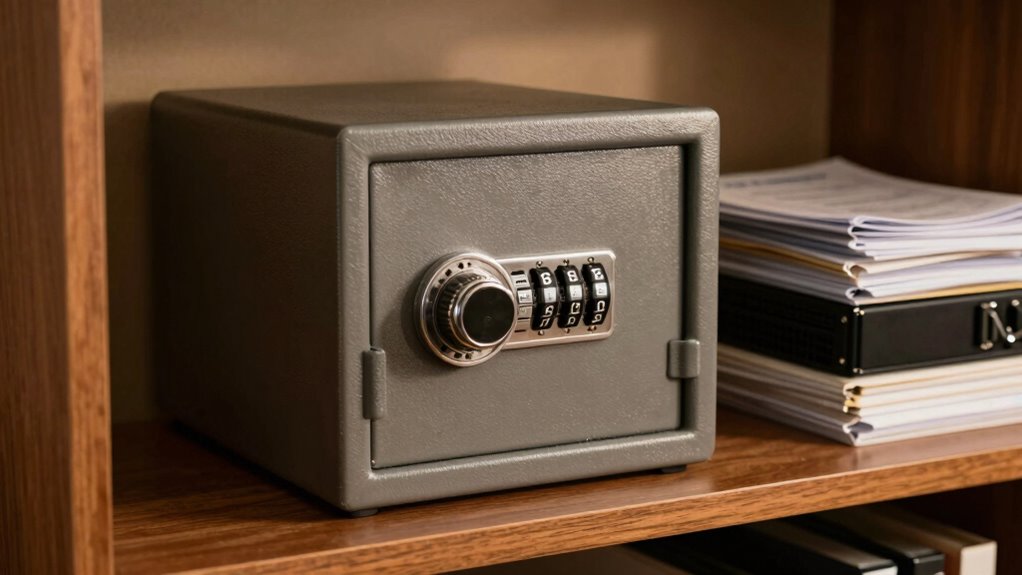
One of the key benefits of offline backups is that they are immune to online threats. While cloud storage providers often implement data encryption to protect stored data, vulnerabilities can still exist, especially if access credentials are compromised or if there’s a breach on the provider’s end. Keeping backups offline adds an extra layer of security because these copies are not connected to the internet, making them inaccessible to cybercriminals. This separation ensures that your most critical content remains safe from malware or ransomware attacks that could otherwise spread quickly across networked systems. Moreover, offline backups can be stored in secure physical locations, such as safes or dedicated data vaults, where access is limited to authorized personnel, further reducing the risk of sabotage or theft. Additionally, implementing data encryption for offline backups enhances security by protecting the contents even if physical access is gained. Ensuring proper physical security measures for storage locations is essential to prevent unauthorized access or theft of backup media. Regularly verifying the integrity of backup copies is also vital to confirm that your stored data remains uncorrupted and can be reliably restored when needed, preventing potential data loss during recovery efforts. Maintaining proper storage practices**** and adhering to established security protocols further strengthens your overall backup strategy.

NEWQ 2TB External Hard Drive for iPhone, USB-C & Lightning Compatible Photo Storage Device, One-Click Backup Photos/Videos to Free Up Phone Space, Offline Transmission Support, No Computer Required
- Wide Compatibility: Supports iPhone, Android, Windows, Mac
As an affiliate, we earn on qualifying purchases.
As an affiliate, we earn on qualifying purchases.
Frequently Asked Questions
How Often Should Offline Backups Be Updated?
You should update offline backups regularly, ideally every few months, to guarantee your data stays current. Frequent updates help maintain backup encryption and enhance storage longevity, reducing the risk of data loss. If your content changes often, consider updating more frequently. Consistent updates ensure your offline backups remain reliable and secure, providing peace of mind that your archives are protected against evolving threats and hardware failures over the long term.
What Hardware Is Best for Offline Backups?
You should choose hardware with high media durability, like magnetic tapes or optical discs, for offline backups. These media types withstand environmental factors better over time. Opt for storage redundancy by maintaining multiple copies on different devices or media types, guaranteeing data safety even if one fails. Reliable hardware, combined with robust media, minimizes risks, keeps your archives secure, and guarantees your backups remain accessible when needed.
Are Offline Backups More Secure Than Cloud Backups?
You’re 60% more likely to recover data after a disaster with offline backups. They’re generally more secure than cloud backups because you control encryption protocols and physical access, reducing exposure to cyberattacks. Offline backups also bolster disaster recovery plans by safeguarding data from online threats like hacking or ransomware. While cloud backups are convenient, offline backups offer a tangible layer of security, making them a crucial part of thorough data protection.
How Do Offline Backups Handle Data Corruption?
Offline backups handle data corruption effectively by providing a secure copy that isn’t connected to the internet, reducing malware exposure. You can verify data integrity by regularly checking these backups for errors or inconsistencies. If corruption occurs, you simply restore from the verified offline copy, guaranteeing your archive remains accurate. This approach minimizes the risk of malware-induced data loss and guarantees that your stored content stays clean and reliable.
Can Offline Backups Be Automated Effectively?
Yes, offline backups can be automated effectively, but you might face some automation challenges. You need to set up reliable backup scheduling to guarantee consistent backups without manual intervention. Using scripts or specialized tools helps automate the process, reducing human error and saving time. Regularly testing these backups is essential to confirm they’re working properly. With careful planning, automation can streamline offline backups and maintain your content archive’s integrity.

2.6 Cub Drop Safe for Business, Anti-theft Quick Place Safe with Drop Slot
- Drop Slot for Quick Cash Deposits: Dual-zone protection with contact-free drops
- All Steel Construction & Reinforced Door: Pry-resistant, fireproof, rust-resistant design
- Digital Combination Lock & Backup Keys: Programmable keypad with spare keys and USB power
As an affiliate, we earn on qualifying purchases.
As an affiliate, we earn on qualifying purchases.
Conclusion
By relying solely on online backups, you risk losing your entire content archive in a single cyber disaster—think of it as trusting a sandcastle to withstand a hurricane. Offline backups act as your fortress, shielding your priceless data from digital storms, hardware failures, and malicious attacks. Without them, your archive isn’t just vulnerable—it’s practically a sitting duck waiting for disaster. Protect your content with offline backups, or prepare to watch it vanish into the digital abyss forever.

Seagate Portable 2TB External Hard Drive HDD — USB 3.0 for PC, Mac, PlayStation, & Xbox -1-Year Rescue Service (STGX2000400)
- Storage Capacity: 2TB portable external hard drive
- Device Compatibility: Works with Windows and Mac
- Easy Backup: Drag-and-drop file transfer
As an affiliate, we earn on qualifying purchases.
As an affiliate, we earn on qualifying purchases.

Zunate Game Card Burner Reader for Game Boy GBC GBA Cartridges, ROM Save Backup Tool with Fast Transfer Speed, Flash Verification and PC Compatibility (Black)
- Wide Compatibility: Supports GBC, GBA, and RTC cartridges
- ROM and Save Management: Back up games and manage saves
- Fast Transfer and Verification: Quick flashing with verification features
As an affiliate, we earn on qualifying purchases.
As an affiliate, we earn on qualifying purchases.