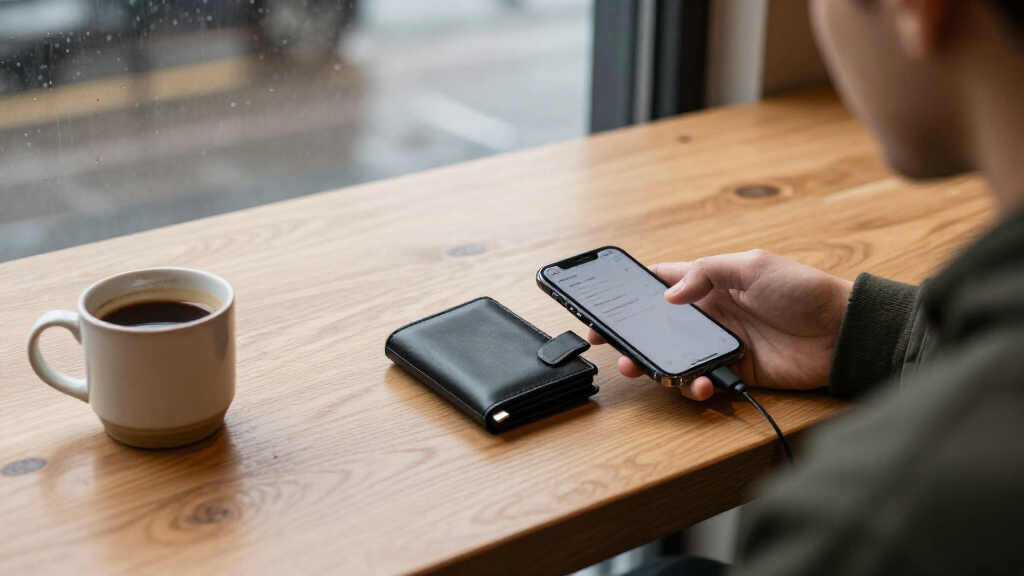

Choosing between the Ledger Nano X and Trezor Safe 5 comes down to how you plan to manage crypto and which tradeoff you prefer: Ledger offers Bluetooth for phone-based use and broad asset compatibility, while Trezor offers a color touch screen and a more open approach to hardware and software. Both keep private keys on a dedicated device and require the owner to approve transactions, but neither removes the need to protect a recovery phrase or verify what is being signed.

Get hardware and tech essentials delivered free — and shop member deals
- Fast, free delivery on millions of items
- Access to Prime Big Deal Days deals on October 6–7
- Prime Video, Amazon Music and more included

Tangem Crypto Wallet (Pack of 2) – Cold Storage Hardware Wallet
- ✔ Security chip: EAL6+ certified
- ✔ Supported networks: 90 blockchains
- ✔ Stated asset support: 14,100+ coins and tokens

Ledger Nano X – Crypto Hardware Wallet with Bluetooth
- ✔ Connectivity: Bluetooth, USB, NFC listed
- ✔ Stated asset support: 15,000+ coins and tokens through Ledger Live
- ✔ Display: 1.1 inches

Trezor Safe 3 Crypto Hardware Wallet – Passphrase & Secure Element Protected (Cosmic Black)
- ✔ Secure Element: EAL 6+
- ✔ Display: OLED
- ✔ Connectivity: USB-C
For frequent mobile transactions or a portfolio spread across many supported assets, the Nano X is the more convenient fit. For people who prioritize an inspectable design and a screen that makes device interaction clearer, the Safe 5 has the stronger case. The better value depends on whether those differences solve a real need for you; a wallet that stays in a drawer may not justify paying extra for either model’s premium features.
At a Glance
| Criteria | Ledger Nano X | Trezor Safe 5 | Winner |
|---|---|---|---|
| Mobile use | Bluetooth supports phone-based management alongside USB | No Bluetooth; USB connection for desktop or supported mobile workflows | A |
| Screen and controls | Small screen with physical buttons | Color touch screen with tactile feedback | B |
| Software transparency | Ledger’s secure element and parts of its software are proprietary | Open-source firmware and wallet software, with some hardware components closed | B |
| Asset and app compatibility | Broad support across coins, tokens, and third-party wallet apps; check specific assets | Broad support, though some assets and integrations differ from Ledger | Depends |
| Backup and recovery | Recovery phrase backup; optional Ledger Recover service is separate | Recovery phrase backup; optional multi-share backup methods supported | B |
| Price and value | Often costs less than the Safe 5, but price varies by retailer | Typically priced as a premium wallet; worth it for its interface and transparency preferences | Depends |
Tangem Crypto Wallet (Pack of 2) – Cold Storage Hardware Wallet
Tangem takes the most unusual approach in this group: the wallet is a credit card-sized NFC card rather than a USB-connected device with buttons and a display. We tap it to an NFC-capable phone to use it, so there are no batteries or cables to manage. That simple form may appeal to buyers who want a compact physical wallet, while its reliance on a compatible phone makes it less suitable for anyone who wants to operate independently of a smartphone. Compared with the Ledger Nano X, it trades Bluetooth-enabled device use for a smaller card-and-phone interaction.The pack includes a second card as an encrypted backup, giving recovery a different shape from Trezor Safe 3’s listed multi-share backup. That paired-card arrangement avoids making the wallet itself the only physical item in the setup, but buyers should understand the manufacturer’s recovery instructions and store the cards thoughtfully. Tangem also describes an optional seed phrase, which may suit users who prefer a familiar recovery format, though it adds responsibility for keeping that phrase private and available.Support for 90 blockchains and 14,100+ coins and tokens gives Tangem a broad stated reach for a card-sized wallet, including DeFi, NFTs, and staking. Its EAL6+ chip, IP69K water resistance, and shockproof construction are relevant if a wallet may be carried regularly or stored in less controlled settings. The claimed lifespan of up to 25 years is a manufacturer specification, not a guarantee of future software or network support. This is our strongest all-around recommendation for someone who values compactness, durability, and a straightforward card-based backup; Ledger is a better fit for a Bluetooth app workflow, while Trezor offers a built-in display for transaction checks.
Pros:
- Card-sized NFC design needs no battery or cable
- Second card provides a physical backup option
- Stated support for 90 blockchains and 14,100+ coins and tokens
- Waterproof and shockproof design with a stated lifespan of up to 25 years
Cons:
- Requires an NFC-capable smartphone for use
- Does not have a dedicated display for on-device transaction review
Best for: Crypto holders who want a compact NFC card, a second-card backup, and broad stated asset support, and who already use a compatible smartphone.
Not ideal for: Buyers without an NFC-capable phone or those who want transaction confirmations on a dedicated wallet screen.
Bottom line: Tangem is our most versatile pick for phone-based card storage, provided its smartphone-dependent workflow suits the way you manage crypto.
“Tangem is our most versatile pick for phone-based card storage, provided its smartphone-dependent workflow suits the way you manage crypto.”
Ledger Nano X – Crypto Hardware Wallet with Bluetooth
Ledger Nano X is the pick for buyers who want a familiar hardware-wallet device paired with Bluetooth mobile access. It works with iOS and Android and manages assets through Ledger Live, with USB also listed as an interface. That mix makes it more flexible across phone and desktop use than Tangem’s NFC-card setup, though Tangem is physically simpler to carry and does not need battery power. Buyers should factor in the Nano X’s battery-powered design and app-led workflow when deciding whether mobile convenience is worth the extra device management.The product states support for 15,000+ coins and tokens through Ledger Live, the largest explicit asset count among these three listings. That breadth is useful for holders whose portfolios span many assets, but the supported-app and network details still deserve checking against the specific coins you plan to use. A 1.1-inch display provides a dedicated screen, while Genuine Check is described as an authenticity check during setup. Trezor Safe 3 similarly centers a screen and on-device confirmations, but its listing emphasizes passphrase protection and multi-share recovery rather than a Bluetooth-first mobile experience.Ledger Nano X is a sensible match for users who want to manage crypto while away from a computer and prefer the Ledger Live ecosystem. However, its compatibility details specifically exclude Chromebooks, which can rule it out for some buyers. The supplied details also mention 2.05 MB of storage, but do not explain how that translates to day-to-day capacity, so we would not treat that figure alone as a buying advantage or drawback. Compared with Trezor, Nano X stands out most clearly for wireless phone use and stated asset breadth; buyers prioritizing a compact, battery-free form should look to Tangem, while those who want its different recovery features may favor Trezor.
Pros:
- Bluetooth connectivity supports mobile use with iOS and Android
- Stated support for more than 15,000 coins and tokens through Ledger Live
- USB connectivity and a 1.1-inch display
- Genuine Check is described as part of device setup
Cons:
- Not compatible with Chromebooks
- The app-centered workflow may not suit users seeking simpler card-style access
- The supplied details do not explain practical implications of its 2.05 MB storage capacity
Best for: People who want Bluetooth access from an iOS or Android phone and use Ledger Live to manage a varied crypto portfolio.
Not ideal for: Chromebook users, buyers who want a battery-free card, or anyone who prefers not to depend on a specific wallet app.
Bottom line: Choose the Nano X when Bluetooth phone management and Ledger Live’s broad stated asset support matter more than a battery-free or software-agnostic setup.
“Choose the Nano X when Bluetooth phone management and Ledger Live’s broad stated asset support matter more than a battery-free or software-agnostic setup.”
Trezor Safe 3 Crypto Hardware Wallet – Passphrase & Secure Element Protected (Cosmic Black)
Trezor Safe 3 suits buyers who want a compact device that keeps transaction confirmation on an OLED screen and makes passphrase protection a central part of the security story. Its USB-C connection is a straightforward wired approach: it avoids Tangem’s phone-tap requirement and Ledger Nano X’s Bluetooth workflow, but it is less oriented toward cable-free mobile access. For people who like checking details on the wallet itself before approving an action, the display is a practical differentiator. We would place it ahead of Nano X for this preference, while Nano X has the clearer fit for wireless phone management.The listing describes an EAL 6+ Secure Element and passphrase protection. It also includes multi-share backup, which is meant to avoid relying on a single recovery item. That recovery approach differs from Tangem’s second-card backup, so buyers should compare the setup and storage responsibilities of each method rather than assuming they are interchangeable. Trezor’s stated support covers thousands of coins and tokens, including Bitcoin and Ethereum, but the listing does not give a precise total. Users with less common assets should verify compatibility before choosing it over Ledger’s explicitly stated 15,000+ asset support.Setup is described as taking about 15 minutes, and full asset management uses Trezor Suite on desktop and mobile. That software dependency is a real tradeoff: it gives buyers a defined management environment, but may feel restrictive to someone who wants a wallet with a broader app-centered mobile pitch or a card that taps directly to a phone. The included USB-C cable and backup cards help make setup tangible, and the two-year warranty is specified. Trezor Safe 3 is our best choice here for buyers who value visible confirmation and layered recovery features; choose Tangem for physical simplicity or Ledger for Bluetooth access and a larger stated asset count.
Pros:
- EAL 6+ Secure Element and passphrase protection
- OLED screen supports on-device confirmations
- Multi-share backup provides a recovery approach distinct from a single backup card
- USB-C connection and stated setup time of about 15 minutes
Cons:
- Full asset management requires Trezor Suite
- The listing says thousands of supported assets but does not specify a total
- USB-C wired use is less convenient for cable-free mobile access than Ledger Nano X
Best for: Buyers who want a dedicated OLED screen for confirmations, passphrase protection, and a multi-share recovery option.
Not ideal for: People seeking Bluetooth phone access, those who do not want to use Trezor Suite, or holders who need confirmed support for a very wide range of less common assets.
Bottom line: Trezor Safe 3 is the strongest fit for screen-led checks and passphrase-focused cold storage, as long as Trezor Suite and USB-C fit your workflow.
“Trezor Safe 3 is the strongest fit for screen-led checks and passphrase-focused cold storage, as long as Trezor Suite and USB-C fit your workflow.”
As an Amazon Associate we earn from qualifying purchases.
Key Differences
The most visible everyday difference is how each wallet connects and how it feels to use. Nano X can pair with compatible phones over Bluetooth, which makes it easier to check balances and approve transactions away from a computer. Safe 5 focuses on a larger color touch screen and tactile feedback, which can make reviewing addresses and navigating menus more comfortable. That difference matters most for people who use a wallet regularly; occasional long-term holders may barely notice it.
The security and transparency distinction is less simple than a single label suggests. Both devices are designed to keep private keys off an internet-connected computer or phone, and both depend on the user checking transaction details on the device. Trezor makes more of its firmware and software open to inspection, while Ledger uses a secure element and keeps some components proprietary. Neither characteristic alone proves a wallet is safer in every scenario. Recovery phrase handling, device authenticity, software updates, and careful transaction review remain central for both.
Compatibility and value should be judged against the assets and apps actually in use. Ledger’s ecosystem is broad, but particular coins, networks, and third-party integrations may work differently across devices. Trezor also supports many assets, with gaps or varying workflows. Before buying, check official support information for every asset you hold. Pay more for the Safe 5 if its touch interface and open software align with your priorities; choose the Nano X if Bluetooth and its ecosystem save you real effort. If you only need basic offline key storage, a less expensive device may be enough.
Detailed Comparison
Mobile use (Ledger Nano X wins — moderate)
Ledger Nano X wins for phone-first management because its Bluetooth connection supports compatible mobile workflows without a cable. Trezor Safe 5 lacks Bluetooth and is better suited to USB-connected use. This is a moderate gap for people who transact while traveling or prefer managing assets on a phone, but minor for users who keep their wallet at home and use a computer.
Screen and controls (Trezor Safe 5 wins — moderate)
Trezor Safe 5 wins with a color touch screen and tactile feedback; the Nano X uses a smaller display and physical buttons. The difference is moderate: the Safe 5 can make menus and transaction review easier to follow, while Ledger’s compact interface remains functional. In either case, users should verify the destination and amount on the device before approving.
Software transparency (Trezor Safe 5 wins — moderate)
Trezor has the edge for users who want firmware and wallet software that can be inspected as open source. Ledger’s secure element is a meaningful design choice, but parts of its system are proprietary. This is a moderate preference-based advantage, not proof that one wallet is categorically safer: security depends on the full device, update process, backup practices, and user behavior.
Asset and app compatibility (major difference)
There is no universal winner. Ledger’s broad support and integrations may suit portfolios that span many assets, while Trezor supports a wide range as well. The gap can be major for a specific coin or app that works on one device and not the other, so check the current official compatibility lists before buying. Compatibility can change as software and networks evolve.
Backup and recovery (Trezor Safe 5 wins — moderate)
Trezor has an edge for users who want more flexible recovery approaches, including multi-share backup options on supported setups. Both wallets rely on a recovery phrase or supported backup method, and both require careful offline storage. This is a moderate difference for people planning inheritance or resilience against a lost backup; routine users may prefer the simplest backup method they can protect reliably.
Price and value (moderate difference)
Ledger Nano X is often the less expensive purchase, while the Safe 5 asks buyers to pay more for its screen and design priorities. Neither is automatically better value: the Nano X makes more sense if mobile access matters, and the Safe 5 if the interface or software transparency justifies the premium. Price varies by region and seller, so compare official and authorized retailer prices.
Ledger Nano X: Pros and Cons
Pros:
- Bluetooth makes compatible mobile use convenient
- Broad asset and third-party app ecosystem
- Often costs less than the Safe 5
Cons:
- Small display is less comfortable for detailed review
- Some software and hardware components are proprietary
- Bluetooth adds a wireless connection users may prefer to avoid
Trezor Safe 5: Pros and Cons
Pros:
- Color touch screen with tactile feedback
- Open-source firmware and wallet software support inspection
- Flexible backup options can suit more deliberate recovery planning
Cons:
- No Bluetooth for cable-free phone use
- Typically costs more than the Nano X
- Asset and app support still needs checking for each portfolio
Who Should Choose What
Choose Ledger Nano X if:
- You want to manage crypto from a compatible phone over Bluetooth
- Your portfolio depends on assets or apps better supported by Ledger
- You want broad functionality at a lower typical purchase price
Choose Trezor Safe 5 if:
- A color touch screen would make transaction checks easier for you
- You value open-source firmware and software
- You want flexible backup methods and are willing to pay more
Skip both if: You do not need a dedicated hardware wallet yet, or your required assets are not supported by either device; verify support before buying and consider a simpler or different supported wallet.
Value for Money
Paying more for the Trezor Safe 5 is worthwhile when its screen, tactile feedback, open software, or recovery options address a specific priority. Those features can improve confidence and usability, but they do not increase the value of crypto holdings or remove the responsibility to protect backups. The Ledger Nano X is the better value for users who will use Bluetooth and benefit from its compatibility at a lower typical cost. For a long-term holder who makes few transactions, the best value may be a more affordable hardware wallet that supports every asset they own.
Final Verdict
Choose the Ledger Nano X if mobile access is a daily convenience or its ecosystem better matches your portfolio. Choose the Trezor Safe 5 if you prefer a larger touch screen, open software, and more flexible backup planning. For most buyers, the decisive question is whether Bluetooth or the Safe 5’s interface and transparency matter more in actual use. Do not pay a premium on reputation alone: check supported assets first, then buy from an authorized source and set up the recovery backup carefully.
Frequently Asked Questions
Is the Ledger Nano X safer than the Trezor Safe 5?
Neither can be declared safer for every user from its features alone. Both are designed to keep private keys on the device, and both require careful recovery phrase storage and transaction checks. Ledger uses a secure element and proprietary components; Trezor offers more open firmware and software. These are different design choices, not a complete security verdict.
Can I use the Trezor Safe 5 with my phone?
Some phone workflows may be available through supported connections and software, but the Safe 5 does not offer Bluetooth. Check Trezor’s current device and app compatibility guidance for your phone. If cable-free mobile use is a priority, the Nano X has the clearer advantage.
Which wallet supports more cryptocurrencies?
Both support many assets, and the answer depends on the exact coins, networks, and apps you need. Check each manufacturer’s current compatibility list for every asset before purchasing; broad headline counts do not guarantee support for a particular token or workflow.
Is the Trezor Safe 5 worth paying more for?
It can be worth the premium if its touch screen, tactile feedback, open software, or backup choices improve your experience or match your priorities. If you mainly want affordable storage and would use Bluetooth, the Nano X may offer better value.
Fall Picks
fall essentials
As an affiliate, we earn on qualifying purchases.